Google Analytics 4 Migration: Why Millions of Sites Still Haven't Switched in 2026
We scanned 29.9M active domains in March 2026: GA4 sits at 3.69M sites while 6M still carry dead UA tags. See the migration flows and best alternatives.
Published •Updated •25 min read

Google Analytics 4 migration has left 6 million domains carrying dead legacy tracking code, while GA4 itself serves just 3.69 million active sites. A poll of 1,700 SEO professionals found 75% are dissatisfied with GA4, and our March 2026 crawl of 29.6 million domains confirms that millions of websites abandoned Google Analytics entirely rather than complete the switch.
Key findings from TechnologyChecker's March 2026 dataset:
- 6,032,470 domains still carry legacy Google Analytics tags that no longer collect data — TechnologyChecker detection data
- 3,688,199 domains actively run GA4, ranking just #3 in the web analytics category — TechnologyChecker GA4 data
- 75% of 1,700 SEO professionals expressed dissatisfaction with GA4, with 50% saying they "hate it" — Search Engine Roundtable
- ~80% of GA4 implementations have broken or missing event configurations — Search Engine Journal
- 7.09 million domains dropped analytics entirely during the UA-to-GA4 transition window — TechnologyChecker historical data
- 89% of active web analytics users decided to migrate from UA to GA4, but many abandoned the process midway — Sitechecker
How Big Is the GA4 Adoption Gap in 2026?
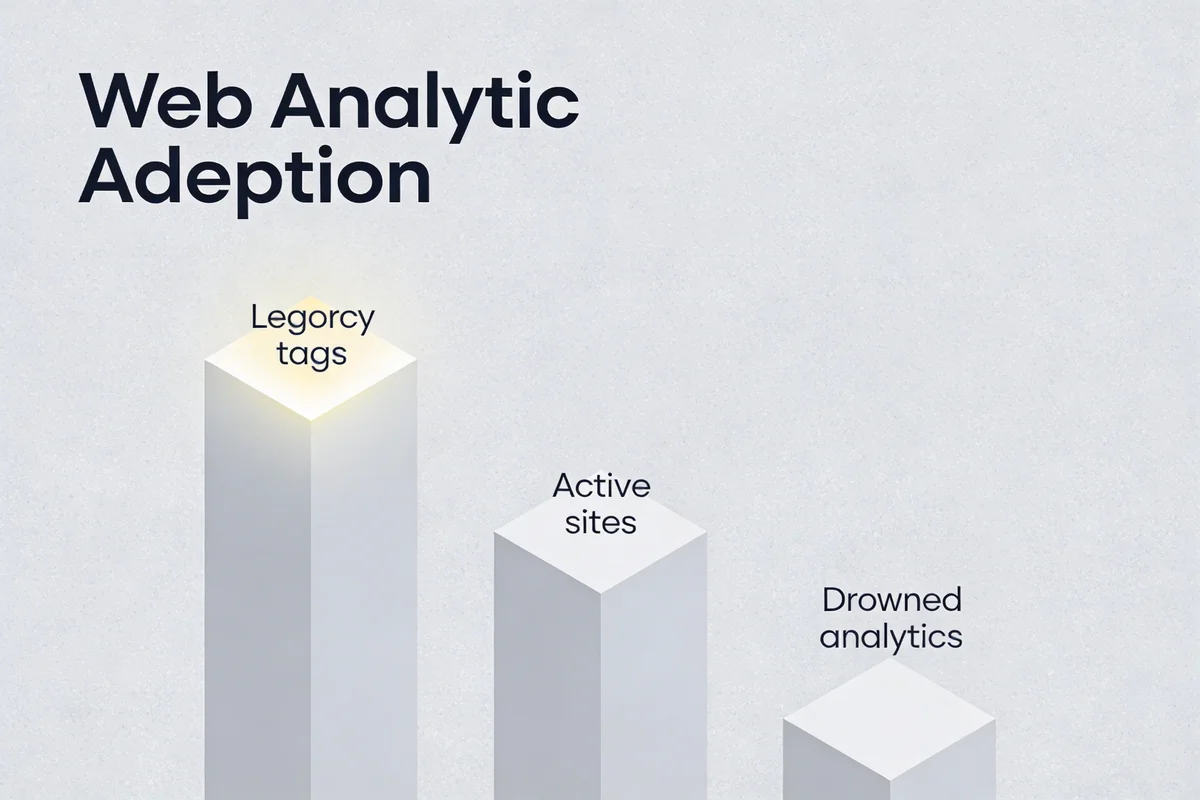
GA4 adoption has stalled well below Universal Analytics' peak. UA served over 21 million websites at its height. GA4 currently sits at roughly 15 million active websites globally, with our own detection confirming 3.69 million across our enriched dataset. While all active users technically migrated when Google shut down UA data processing in July 2023, roughly 6 million websites stopped using any Google Analytics product during the transition.
I ran our latest full crawl in March 2026 across 29.6 million domains with active technology detection. Here's how the Google analytics family breaks down:
| Technology | Active Domains | Market Share | Category Rank |
|---|---|---|---|
| Google Analytics (legacy tag) | 6,032,470 | 24.46% | #1 |
| Global Site Tag (gtag.js) | 5,524,503 | 22.40% | #2 |
| Google Analytics 4 (GA4) | 3,688,199 | 14.95% | #3 |
| Google Universal Analytics | 2,097,726 | 8.50% | #4 |
The legacy tags (Google Analytics and Google Universal Analytics) are no longer collecting new data. Google shut that down in July 2023. But 6 million+ domains still carry those old script tags in their HTML. Most site owners never cleaned up their code after migration. Some migrated to GA4 and left the old tags in place. Others stopped using analytics entirely but didn't remove the old embed. GA4 alone captures just 14.95% of the web analytics market, ranking third in its own category.
Our usage history data shows GA4 peaked at 3.69 million active domains in March 2025, then started declining. By July 2025, active domains dropped to 2.84 million before a partial recovery. That peak-to-trough decline of 23% happened while Google was actively pushing GA4 adoption.
According to a Sitechecker study, 89% of SEO experts and active analytics users decided to migrate from UA to GA4. The gap between that intent and what actually happened tells us migration difficulty is the blocker, not awareness.
Why Did Millions of Sites Abandon Google Analytics During Migration?

I've analysed migration patterns across 140,109 enriched companies in our database. Three patterns explain the gap between legacy tag detection and GA4 adoption.
The "Leftover Code" Problem
When Google shut down Universal Analytics data processing in July 2023, it didn't automatically remove legacy tracking code from websites. Site owners had to manually delete the old analytics.js or ga.js scripts from their HTML. Thousands never did. Our detection picks up these legacy tags even though they're no longer sending data to Google. Many sites now carry both the old dead tag and a live GA4 implementation.
This matches what Search Engine Journal reported about GA4 setups: roughly 80% of GA4 accounts have broken or missing event configurations, with clean implementations being the exception. If teams can't configure GA4 correctly, they're certainly not prioritising code cleanup.
The Small Business Walkaway
Our data shows 73.08% of GA4 users have 1-10 employees. These micro-businesses adopted Google Analytics because it was free and simple. GA4 is still free, but it isn't simple. Tasks that took two clicks in Universal Analytics now require six or more steps, and the pre-built reports dropped from 30+ to a handful.
Many small businesses stopped caring about analytics rather than learning a new platform. They technically migrated (or Google did it for them via auto-migration), but they never opened GA4 again. Our data supports this: 7,093,102 domains that previously ran Google Analytics no longer carry any active analytics tag at all.
Landing page performance analysis is the most used feature in web analytics platforms, according to Sitechecker's survey, and only 3% of users rely on advanced features like team boards and alerts. GA4 was redesigned around advanced use cases that most of its user base doesn't need.
The Privacy Exodus
GA4 faces regulatory restrictions in Austria, France, Italy, and Denmark due to GDPR data transfer concerns. European businesses that relied on Universal Analytics found themselves in legal grey territory with GA4, and many switched to privacy-first alternatives like Matomo, Plausible, or Umami.
Our competitor data for GA4 confirms the trend. Facebook Pixel (7.75% market share) is the first non-Google competitor, and the privacy-focused analytics tools collectively grew faster than GA4 in 2025.
What Does the GA4 Migration Flow Actually Look Like?

Our dataset gets specific here. We track technology migrations at the company level across 140,109 enriched company profiles, logging which platforms companies switched from and to. Each migration record includes timestamps, allowing us to see whether the switch happened in the last 90 days, last year, or last three years.
Which Companies Are Moving TO GA4?
| Switched From | Companies | Last 1 Year | Last 3 Years |
|---|---|---|---|
| Google Universal Analytics | 53,179 | 21,494 | 46,252 |
| Google Analytics Classic | 43,911 | 1,551 | 21,628 |
| Facebook Pixel | 16,553 | 6,961 | 12,144 |
| Facebook Domain Insights | 11,312 | 1,626 | 3,694 |
| MonsterInsights | 7,439 | 1,271 | 3,802 |
| Site Kit | 3,625 | 1,481 | 3,243 |
The Universal Analytics to GA4 flow (53,179 companies) is the largest single migration we've tracked. But notice the recency: only 21,494 of those happened in the last year. The forced migration is slowing. Companies that haven't switched by now probably won't switch voluntarily.
Which Companies Are Moving AWAY From GA4?
| Switched To | Companies | Last 1 Year | Last 3 Years |
|---|---|---|---|
| Google Analytics (legacy) | 61,313 | 1,388 | 7,549 |
| Global Site Tag | 57,443 | 2,192 | 15,348 |
| Google Universal Analytics | 29,189 | 327 | 1,602 |
| Facebook Pixel | 28,438 | 2,171 | 7,466 |
| Site Kit | 9,587 | 2,401 | 8,747 |
61,313 companies that dropped GA4 were detected with the legacy Google Analytics tag. This is largely a detection artefact, where sites had both tags and the GA4 tag was removed or stopped loading while the legacy dead code remained. The real competitive signal is in the non-Google flows.
GA4 lost 28,438 companies to Facebook Pixel while only gaining 16,553 from it. For sites that prioritise ad conversion tracking over full analytics, GA4 isn't winning.
The Site Kit numbers are equally telling. GA4 gained 3,625 companies from Site Kit but lost 9,587 to it. Site Kit is Google's own WordPress plugin. This isn't a competitive loss. It's WordPress users choosing the managed plugin over direct GA4 implementation. Same GA4 engine underneath, different wrapper, less friction.
Why Do 75% of SEO Professionals Hate GA4?

The frustration goes beyond the migration itself. According to a poll of 1,700 SEO professionals, 75% expressed dissatisfaction with GA4, with 50% saying they outright "hate it" and just 5.7% saying they "love it."
I've personally audited GA4 implementations for dozens of B2B and e-commerce companies through my work at TechnologyChecker. The patterns I see in our data match what marketing teams tell me directly. Here's what drives the backlash.
GA4's Interface Feels Like a Scavenger Hunt
Universal Analytics let you find answers in two clicks. GA4 requires opening customisation panels, adding comparison filters, selecting dimensions from dropdown menus, and then selecting values from another dropdown. John Erikson, a marketing consultant, described the GA4 workflow as "needlessly buried under layers of menus."
GA4's interface is also slow. Pages take seconds to load, and every interaction involves waiting. For marketing teams checking analytics multiple times daily, that friction adds up. One analysis described it as GA4 "killing off casual analytics use". Teams that previously checked Google Analytics for quick reassurance now avoid it entirely because the interface makes routine checks take too long.
GA4 Data Latency Kills Real-Time Decisions
Universal Analytics processed data within 4 hours. GA4 takes 12 to 48 hours. Ron Weber, a digital marketing manager, put it bluntly: "The data latency is a joke. Taking 12-24 hours to report on what is happening prevents this from being an actionable tool."
For e-commerce teams running flash sales or paid social campaigns, that delay makes GA4 useless for same-day optimisation. You're making decisions on yesterday's data at best.
GA4's 14-Month Data Retention Is a Dealbreaker for Seasonal Analysis
GA4 limits data retention to 14 months on the free tier. Universal Analytics stored data indefinitely. If you need year-over-year seasonal analysis, the kind every retail marketer relies on, you either export to BigQuery (which has a steep learning curve) or lose the data permanently.
GA4 Removed 25 Acquisition Reports
GA4 removed 25 acquisition reports and replaced them with two. Behavioural flow reports disappeared. Recurring email exports aren't available. Tom Demers, a marketing agency owner, noted: "Clients are frustrated with recreating their existing reports in GA4, particularly for specific edge cases."
For agencies managing multiple client accounts, rebuilding reporting structures from scratch is a multi-week project per client.
There's No "GA4 Lite" for Small Businesses
No simplified version of GA4 exists for users who only need basic metrics. Eb Gargano, a food blogger with hundreds of thousands of monthly visitors, observed: "There isn't a 'GA4 Lite' for users who only need basic data."
Remember: 73.08% of GA4 users have fewer than 10 employees. Most of them need pageviews, traffic sources, and bounce rates. Not event-based data models, custom explorations, or BigQuery exports.
GA4 Event Configuration Breaks Without Warning
Nearly 40% of GA4 properties suffer from event configuration errors, causing incomplete or inaccurate data collection. Enhanced measurement features fire incorrectly, capture duplicate events, or miss parameters entirely.
"Transitioning from Universal Analytics' intuitive dashboards to GA4's event-driven model felt like downgrading from a Tesla to a tricycle." — Sienna Hart, Chatrandom, via Wide Angle Analytics.
GA4 Attribution Contradicts Ad Platforms
GA4 automatically applies data-driven attribution across multiple touchpoints. In theory, that's an upgrade. In practice, "GA4 often misattributes paid ad conversions, inflates direct/unassigned traffic, and fails to align with ad platform data." — Arham Khan, Pixated, via Wide Angle Analytics.
GA4 also blends observed data with modelled estimates when users deny cookie consent. You're not seeing what actually happened. You're seeing what GA4 thinks most likely happened. For smaller sites with limited traffic, this modelling introduces significant inaccuracy.
GA4 Bugs That Persist Three Years After Launch
John McAlpin, a PPC specialist, noted: "The platform still has a lot of bugs... spending more time figuring out why attribution is not properly labeled." Jason McDonald, a search marketing consultant, called GA4 "so much harder to use than UA, and completely non-intuitive."
Nearly three years after launch, GA4 still carries bugs that erode trust in the data it reports. For teams that need reliable analytics to justify marketing spend, unreliable data is worse than no data at all.
Who Uses GA4 Successfully?

Our data isn't all negative. We analysed 140,109 enriched company profiles that run GA4, matching technology detection data with firmographic information including employee count, industry, revenue range, and geographic location. GA4 works well for specific profiles.
How Does GA4 Adoption Break Down by Company Size?
| Employee Range | % of GA4 Users | Observation |
|---|---|---|
| 1-10 | 73.08% | Default free tool for micro-businesses |
| 11-50 | 15.72% | Growing businesses with basic needs |
| 51-200 | 6.58% | Mid-market with dedicated analytics staff |
| 201-500 | 2.23% | Enough resources to configure properly |
| 10,001+ | 0.32% | Enterprise (likely GA4 360 at ~$50K/year) |
88.8% of GA4 users have fewer than 50 employees. The free tier drives adoption for solo founders and small teams who accept the defaults. Enterprises like Deloitte, IBM, and Bank of America run GA4 too, but they have dedicated analytics teams who can handle the configuration complexity.
Which Industries Use GA4 Most?
Retail leads at 6.30%, followed by Software Development (2.92%) and Advertising Services (2.73%). No single industry exceeds 6.3% share, which makes GA4 a horizontal utility rather than a vertical product. It's the default analytics tool, not one companies choose after careful evaluation.
Google provides a wide selection of products and services that together form a connected technology stack. According to Sitechecker's research, many businesses stick to Google products, which makes considering GA4 competitors more difficult even when GA4 itself isn't meeting their needs.
Why Do 99.81% of GA4 Users Also Run Google Tag Manager?
Here's the most telling data point: 99.81% of GA4 users also run Google Tag Manager. GTM is effectively required to get GA4 working properly. That dependency adds another layer of technical complexity that small teams struggle with.
What Are the Best GA4 Alternatives Based on Real Usage Data?

If GA4 isn't working for your team, you're not stuck. Our technology database tracks 47 web analytics platforms across 29.9M active domains, with monthly detection updates. I've compared the leading GA4 alternatives using our March 2026 detection data, aggregated G2 review sentiment, and usage patterns from our enriched company profiles. For enterprise teams with budgets above $50K/year, companies that use Adobe Analytics include Walmart, Deloitte, and JP Morgan Chase — it remains the go-to for Fortune 500 analytics needs.
Matomo Analytics: Best for Full Data Ownership
Matomo is the leading open-source Google Analytics alternative, tracking 16,452 active domains across our dataset. Formerly known as Piwik, it offers both self-hosted and cloud deployment options.
Pros:
- Full data ownership — self-host on your own servers, keeping all data within your infrastructure
- GDPR compliant by design — no data transfers to third-party servers when self-hosted
- Familiar interface — dashboard layout mirrors Universal Analytics more closely than GA4 does
- No data retention limits — store historical data indefinitely on your own infrastructure
- Clear data visualisation — G2 reviewers praise the clarity of Matomo's graphs and reporting
Cons:
- Self-hosting requires technical resources — server maintenance, updates, and scaling are your responsibility
- Feature gaps in some areas — G2 reviewers note limited features and visibility options compared to larger platforms
- Smaller plugin ecosystem — fewer integrations than Google's ecosystem
Who uses it: Siemens, Government of Canada, French Ministry of Education. Our data shows Matomo is particularly strong with government agencies, universities, and EU-based organisations that need GDPR certainty.
| Metric | Value |
|---|---|
| Active Domains | 16,452 |
| Previously Used | 21,147 |
| Deployment | Self-hosted or Cloud |
| Starting Price | Free (self-hosted) / EUR 23/month (cloud) |
Plausible Analytics: Best for Simplicity and Privacy
Plausible is the fastest-growing privacy-first analytics tool in our dataset, tracking 32,774 active domains. Its script weighs under 1KB, less than 1/45th the size of GA4's tracking code.
Pros:
- Cookie-free tracking — no consent banners needed, fully compliant with GDPR, CCPA, and PECR
- One-page dashboard — all key metrics visible without clicking through menus or building custom reports
- Performance — G2 reviewers highlight its speed; the sub-1KB script has zero measurable impact on page load times
- Open source — full code transparency with self-hosting option available
Cons:
- Limited advanced features — no funnel analysis, no cohort reports, no advanced event-level analysis
- Documentation gaps — G2 reviewers report gaps in documentation for advanced use cases
- No Google Ads integration — if paid search is core to your strategy, Plausible won't replace GA4's ad data
Who uses it: BBC, Swisscom, World Vision International. Our detection shows Plausible growing fast among EU-based organisations and developer-focused companies.
| Metric | Value |
|---|---|
| Active Domains | 32,774 |
| Market Share | 0.12% |
| Category Ranking | #36 of 47 |
| Starting Price | $9/month (cloud) / Free (self-hosted) |
PostHog: Best for Product and Engineering Teams
PostHog combines web analytics with product analytics, session replay, feature flags, and A/B testing in one platform. It tracks 20,939 active domains and grew 65% year-over-year in 2024.
Pros:
- All-in-one platform — analytics, session replay, feature flags, A/B testing, and surveys in one tool
- Ease of use — G2's top-rated strength with 229 mentions praising its user-friendly interface
- Generous free tier — 1 million events/month and 5,000 session recordings included free
- Open source — self-host for full data control, or use PostHog's managed cloud
Cons:
- Steep learning curve for advanced features — G2's top complaint with 115 mentions; the breadth of features can overwhelm new users
- Initial setup complexity — configuring advanced features and self-hosting takes time (64 G2 mentions)
- Engineering-focused — built for product and engineering teams; marketers may find it less intuitive than marketing-specific tools
Who uses it: Siemens, UNICEF, Baker Hughes, Palo Alto Networks. PostHog's user base skews heavily toward software companies and tech startups.
| Metric | Value |
|---|---|
| Active Domains | 20,939 |
| YoY Growth | 65% (2024) |
| Market Share | 0.08% |
| Starting Price | Free (up to 1M events/month) |
Umami: Best for Developers and Indie Projects
Umami is an open-source, self-hosted analytics platform popular among developers and indie makers. It tracks 12,413 active domains and grew from 6 domains in late 2020 to over 9,500 by mid-2025.
Pros:
- Easy setup — G2's most-praised quality; reviewers find Umami simple and straightforward to deploy
- Privacy-conscious — no cookies, no personal data collection, built for GDPR compliance from the ground up
- Lightweight — minimal resource requirements for self-hosting
- Completely free — open source with no paid tier required for self-hosting
Cons:
- E-commerce tracking lacking — G2's top complaint; missing product behaviour tracking and user journey analysis
- Limited feature set — no advanced segmentation, funnels, or cohort analysis out of the box
- Small team behind it — less enterprise support compared to commercially-backed alternatives
Who uses it: Synopsys, Red Hat, Autodesk, City of Gothenburg. Umami's user base is 82.7% micro-businesses (1-10 employees). It's the indie developer's analytics tool.
| Metric | Value |
|---|---|
| Active Domains | 12,413 |
| Market Share | 0.05% |
| Category Ranking | #48 |
| Starting Price | Free (self-hosted) / $9/month (cloud) |
Hotjar: Best for Visual User Behaviour Data
Hotjar isn't a direct GA4 replacement. It's a behaviour analytics platform that many teams use alongside (or instead of) traditional web analytics. With 256,146 active domains, it's one of the most widely adopted analytics tools we track.
According to Sitechecker's research, 55% of analytics professionals believe Hotjar is the best GA alternative for visualising website behaviour and collecting customer feedback.
Pros:
- Visual user behaviour data — heatmaps, session recordings, and scroll maps show exactly how users interact with pages
- Intuitive interface — G2's most-praised quality with 12 mentions for ease of navigation
- No technical setup — drop in a script tag and start collecting data immediately
- Built-in surveys and feedback — ask users directly what they think without a separate tool
Cons:
- Not a full analytics replacement — no traffic source data, no conversion tracking, no acquisition reports
- Expensive at scale — G2 reviewers note costs increase significantly with higher traffic volumes
- Recording limitations — session recording limits and slow loading frustrate power users (4 G2 mentions)
Who uses it: Accenture, Deloitte, McDonald's, IBM. Hotjar's user base spans from solo consultants to Fortune 500 enterprises.
| Metric | Value |
|---|---|
| Active Domains | 256,146 |
| Market Share | 1.04% |
| Category Ranking | #12 of 47 |
| Starting Price | Free (basic) / $39/month (Plus) |
Which GA4 Alternative Fits Your Use Case?
| If You Need... | Choose | Why |
|---|---|---|
| Full GA replacement with data ownership | Matomo | Closest feature parity to Universal Analytics, self-hosted option |
| Simple traffic metrics without complexity | Plausible | One dashboard, no cookies, under 1KB script |
| Product analytics + web analytics combined | PostHog | All-in-one with session replay, feature flags, A/B testing |
| Developer-friendly self-hosted analytics | Umami | Free, lightweight, easy to deploy on your own servers |
| Visual user behaviour data | Hotjar | Heatmaps and session recordings that GA4 doesn't provide |
None of these tools will give you the Google Ads integration that GA4 provides. But if your primary need is understanding traffic patterns and user behaviour without regulatory risk or configuration headaches, they're worth evaluating with a parallel install alongside your existing setup.
For teams that want to track which analytics technologies their prospects or competitors are running, TechnologyChecker's analytics detection covers all 47 platforms in this category with daily updates.
What Should Marketing Teams Do About GA4 Right Now?

Based on 10 years of working with analytics platforms, a Google Analytics certification, and our proprietary migration data covering 140,109 companies, here's my recommendation.
If You Still Have Legacy Google Analytics Tags
Your legacy tracking code is no longer collecting data. Google shut down UA processing in July 2023 and deleted stored UA data in July 2024. If you haven't set up GA4, you're flying blind with zero analytics. If you already migrated to GA4, remove the old analytics.js or ga.js tags from your site. They're dead code adding unnecessary page weight.
For sites that haven't set up GA4 at all:
- Install GA4 now — you've already lost years of historical data, so start fresh immediately
- Configure your key events before doing anything else. GA4's default tracking misses most business-critical actions
- Consider whether GA4 is the right choice — if you're a small team overwhelmed by complexity, one of the alternatives above may serve you better
If You're on GA4 But Not Getting Value
Our data shows nearly 3 million domains have "previously used" GA4 and dropped it. Don't become one of them.
- Check your event configuration. With 40% of GA4 properties having configuration errors, yours probably needs attention
- Build custom explorations for the reports GA4 removed. The data is still there — it's the pre-built reports that disappeared
- Set up BigQuery export early. GA4's 14-month retention limit means you're losing data every day you delay
If You're Considering Alternatives
Don't rip and replace overnight. Install your preferred alternative alongside GA4 for at least 30 days. Compare the numbers. Check whether the alternative captures what your team actually uses daily. Then make the switch with data backing the decision.
McDonald's Hong Kong ran a structured migration process and saw 550% increase in conversions and 230% stronger ROI by properly configuring GA4's predictive audiences. The White Company achieved 0% data loss during their migration by running parallel tracking for 60 days before cutover. The difference between a painful migration and a successful one is almost always planning.
What Do G2 Reviewers Say About GA4?

We aggregate G2 review data directly into our technology profiles. For GA4, we analysed 941 categorised review mentions across sentiment buckets.
What users praise most:
- Valuable insights (179 mentions) — the data GA4 collects is genuinely useful when configured correctly
- Ease of use (139 mentions) — basic reporting works well for simple sites
- Easy integrations (94 mentions) — the Google ecosystem advantage remains strong
What users criticise most:
- Steep learning curve (91 mentions)
- Learning difficulty (60 mentions)
- Not intuitive (49 mentions)
The top three complaints are all variations of the same problem: GA4 is harder to use than the platform it replaced. For a tool where 73% of users are micro-businesses with no dedicated analytics team, that's a fundamental problem.
How Will Web Analytics Evolve After the GA4 Migration?

The GA4 migration accelerated three trends that will shape analytics tools through 2027 and beyond.
Privacy-first analytics will keep growing. EU regulatory pressure isn't easing. Every new GDPR enforcement action against Google Analytics pushes more European businesses toward self-hosted alternatives. Matomo, Plausible, and Umami all grew faster than GA4 in 2025. That gap will widen.
The analytics market will fragment further. GA4's complexity created space for specialised tools. PostHog owns product analytics. Hotjar owns behaviour analytics. FullStory owns digital experience analytics. No single tool will dominate the way Universal Analytics did. Sales and GTM teams tracking their prospects' tech stacks through technology detection platforms will see an increasingly diverse set of analytics tools across their target accounts.
First-party data collection will become the standard. Cookie-based analytics is dying. GA4's own consent mode already models data when users opt out. The next generation of analytics tools will rely on server-side tracking, first-party cookies, and probabilistic matching. Google Tag Manager's server-side tagging is one approach, but not the only one. Segment and Tealium offer platform-agnostic alternatives for companies that want to own their data pipeline.
Methodology and Sources
All proprietary statistics in this post come from TechnologyChecker's March 2026 dataset. Our detection database covers 50M total domains — of which 29.9M are active and scanned monthly, ~10.1M are historically dead, and the remainder are transitional. The March 2026 crawl referenced throughout this post covered 29.6M of those active domains. We identify technologies through HTTP header analysis, JavaScript library fingerprinting, DNS record inspection, and HTML pattern matching across 40,000+ tracked technologies.
Company-level data is enriched from 140,109 firmographic profiles with employee count, industry, revenue, and geographic data. Migration flows are tracked at the company level with timestamps, allowing us to measure adoption velocity and churn direction.
How we verified: Every external statistic in this post was cross-referenced against its original source. G2 review data is aggregated from public G2 product pages. Detection counts were pulled from our March 2026 crawl cycle. Where external sources cite ranges or approximations, we note the original methodology.
Frequently Asked Questions About GA4 Migration
What percentage of websites have migrated from Google Analytics to GA4?
Based on TechnologyChecker's March 2026 crawl of 29.6 million domains, GA4 tracks 3,688,199 active domains while legacy Google Analytics tags still appear on 6,032,470 domains (though these legacy tags are dead code no longer collecting data). Roughly 6 million websites dropped Google Analytics entirely during the migration window rather than switching to GA4. GA4 adoption peaked at 3.69 million domains in March 2025 before declining 23% to 2.84 million by July 2025, with partial recovery since.
Why is GA4 so hard to use compared to Universal Analytics?
GA4 replaced UA's session-based model with an event-based data model, which changed how every report works. Tasks that took two clicks in Universal Analytics now require six or more steps in GA4. Google removed 25 pre-built acquisition reports and replaced them with two. The free tier limits data retention to 14 months (UA stored data indefinitely), and the API takes 12-48 hours to process data compared to UA's 4-hour processing window.
Is GA4 GDPR compliant?
GA4 faces ongoing regulatory challenges in Europe. Data protection authorities in Austria, France, Italy, and Denmark have raised concerns about GA4's data transfers to US servers. While Google has made changes to address some GDPR concerns, the legal position remains uncertain. Businesses requiring GDPR certainty are switching to privacy-first alternatives like Matomo (self-hosted), Plausible (cookie-free), or Umami (open source).
What are the best free alternatives to Google Analytics 4?
The leading free GA4 alternatives based on our March 2026 detection data: Matomo (16,452 active domains, free self-hosted), Umami (12,413 active domains, free open source), Plausible (32,774 active domains, free self-hosted option), and PostHog (20,939 active domains, free up to 1 million events/month). Each serves different use cases: Matomo for full GA replacement, Plausible for simplicity, Umami for developers, and PostHog for product teams needing session replay and feature flags.
How many companies have stopped using GA4?
TechnologyChecker's historical detection data tracks 2,981,588 domains that previously used GA4 but no longer carry the tag. Our migration data shows 61,313 companies moved from GA4 back to legacy Google Analytics tags, 28,438 switched to Facebook Pixel, and 9,587 moved to Google's Site Kit WordPress plugin. The net migration flow shows more companies leaving GA4 than arriving from competing platforms.
How long does GA4 migration take?
Migration timeline depends on your existing setup. A basic website with standard pageview tracking can migrate in a few hours. Complex e-commerce implementations with custom events, cross-domain tracking, and BigQuery integration typically take 2-4 weeks. Enterprise deployments with multiple properties and custom reporting can take 2-3 months. Sofiia Bychkovska, an analytics trainer quoted by MeasureU, recommends: "Before you start, make a plan. GA4's new data model allows great flexibility, but there is the risk of setting up events and data points incorrectly."
What are common GA4 migration mistakes?
The most common mistakes we see in our data: not configuring custom events (GA4's defaults miss most business-critical actions), failing to set up BigQuery export before the 14-month retention window closes, leaving legacy UA tags in place as dead code, not testing enhanced measurement for duplicate event firing, and skipping parallel tracking before cutting over. Paula Glynn, Director of Search Marketing, advises via MeasureU: "Experiment with GA4 and see what works best for you. There's no one-size-fits-all solution."
Is Google Analytics (Universal Analytics) still working?
No. Google stopped processing new data in Universal Analytics properties in July 2023 and deleted all historical UA data in July 2024. Universal Analytics is fully shut down and no longer collects or stores any data. TechnologyChecker still detects 6,032,470 domains carrying legacy Google Analytics embed code in their HTML. These are leftover script tags that owners never removed. The code loads in browsers but sends data to a service that no longer accepts it. If your site still has analytics.js or ga.js tags, they're dead code you can safely remove to reduce page weight.
How do I check if my GA4 setup is working correctly?
Given that nearly 40% of GA4 properties have configuration errors, auditing your setup is worth the time. Check your real-time report to verify events are firing. Review your event parameters in DebugView. Compare GA4 data against your server logs or a secondary analytics tool for the same time period. Look for common issues: duplicate events from enhanced measurement, missing custom parameters, broken cross-domain tracking, and consent mode incorrectly blocking data collection.
What does GA4 stand for?
GA4 stands for Google Analytics 4. It is the fourth major version of Google's web analytics platform, released in October 2020 and made mandatory in July 2023 when Google shut down Universal Analytics. The name "GA4" is the industry-standard abbreviation used by marketers, developers, and SEO professionals. In our dataset, we track it under both its full name (Google Analytics 4) and the common abbreviation GA4.

CMO & Co-founder
10+ years of experience
Elif is the CMO and co-founder of TechnologyChecker.
- MBA, London Business School
- Google Analytics Certified Professional
- HubSpot Inbound Marketing Certified
Never miss our research