

Base URL
All API requests use the following base URL:Prerequisites
- A TechnologyChecker account (sign up free)
- Some familiarity with REST APIs and HTTP requests
Quick start
1
Get your API key
Sign in to app.technologychecker.io and go to Settings > Developers to create an API key. You can hold several keys — one per environment or integration — and manage them all from that same screen. Note that alerts, audiences and lead lists are owned per key, not per account.
2
Make your first request
Look up any domain’s technology stack:
3
Explore the response
Available APIs
Domain technologies
Look up active and historical technologies for any domain. Find websites using a specific technology, track tech stack changes, and build prospecting lists.Technology data
Search and look up 40,000+ tracked technologies by name or ID. Get extended metadata and batch-resolve technology names for enrichment pipelines.Market intelligence
Technology adoption statistics, monthly usage trends spanning 20 years, and category market share. Build competitive analysis reports with data from 50M+ domains.Company data
Firmographic data from 25.4M LinkedIn company records. Search, filter, and batch-enrich companies by technology, geography, industry, and size.Live detection
Real-time technology detection with browser rendering (Puppeteer, REST, HTTP modes). Scan any URL not in the pre-crawled database.Signals
Intent signals derived from technology state transitions: who just adopted, who just dropped, who replaced a competitor, and who has a gap in their stack. All support firmographic filtering, and everything here can be subscribed to as an alert.Alerts
Save any signal query with a webhook URL and receive only new matching events, HMAC-signed. Alerts are a plan entitlement — creating, editing and firing them is free.
See alert webhooks for the payload format and signature verification.
Audiences
Saved groups of domains — uploaded lists or computed recipes — that you can profile, slice and keep fresh.Lead lists
Build and export targeted domain lists combining technology detection with company and contact data. Creation runs as a background job billed on actual rows delivered.Account
Monitor API usage and credit consumption, and manage your API keys. These endpoints are free and don’t consume credits.Essentials
Authentication
Bearer token setup and key management.
Rate limits
Request limits by plan and retry handling.
Credits
Credit costs per endpoint and plan details.
Interactive testing
You can test all endpoints directly from the API playground in your dashboard. Your API key is pre-filled automatically.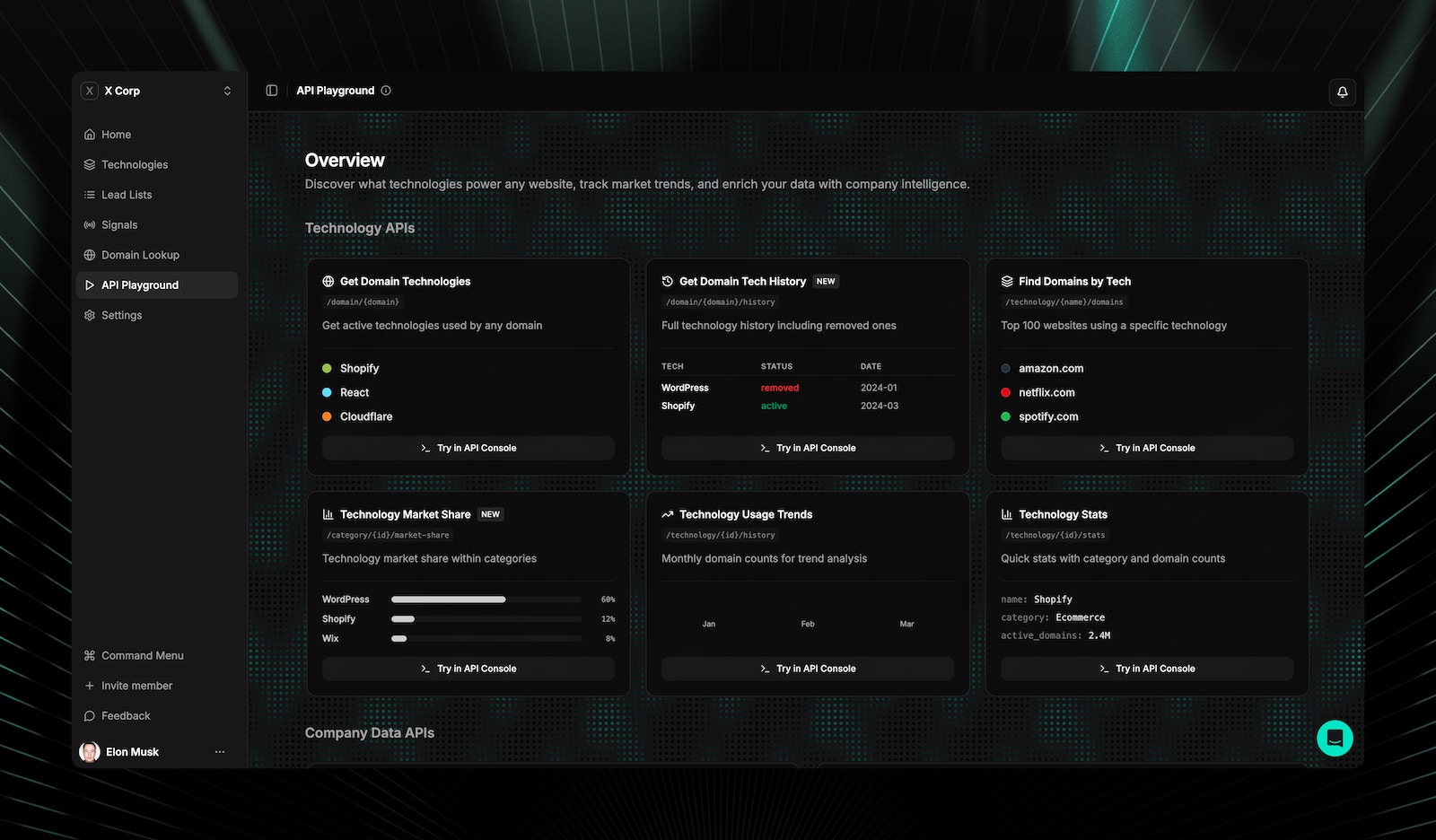
Frequently asked questions
Which endpoint should I use to look up a website's technologies?
Which endpoint should I use to look up a website's technologies?
Use
GET /v1/domain/{domain} for an instant lookup from the pre-crawled database of 50M+ domains (1 credit). If the domain isn’t found, use POST /v1/technology-lookup-live for real-time detection (5 credits).How do I find companies using a specific technology?
How do I find companies using a specific technology?
First, look up the technology name with
GET /v1/technology/name/{name} to get its ID. Then call GET /v1/technology/{id}/companies with optional filters for country, industry, and employee count.Can I look up multiple domains or technologies in one request?
Can I look up multiple domains or technologies in one request?
Yes. Use
POST /v1/companies/batch to enrich multiple domains with company data in a single call (1 credit per domain). Use POST /v1/technologies/lookup to resolve multiple technology names to IDs in one request (1 credit).How do I find out who just started or stopped using a technology?
How do I find out who just started or stopped using a technology?
Use the signals endpoints.
GET /v1/signals/adoption returns domains that newly started using a technology in a window, and GET /v1/signals/churn returns those that dropped it. Add firmographic filters like country and employees to narrow to your ICP. To be notified rather than polling, save the same query as an alert.What is the difference between signals, audiences and lead lists?
What is the difference between signals, audiences and lead lists?
They answer three different questions. Signals ask “what just changed?” and return events, scoped by technology or category. Audiences ask “what is true of this group?” — you save a set of domains and profile its stack and composition. Lead lists ask “give me the rows” and produce a downloadable file with company and contact data, billed per row. A common flow runs through all three: find a signal, save the matches as an audience, export it as a lead list.
Is the TechnologyChecker API free to use?
Is the TechnologyChecker API free to use?
Yes. The Free plan gives you 100 credits per month with full API access — no credit card required. Most endpoints cost 1 credit per request. If you need more volume, the Pro plan (249/month) includes 50,000. See credits and pricing for the full breakdown.
What programming languages work with the TechnologyChecker API?
What programming languages work with the TechnologyChecker API?
Any language that can make HTTP requests works with the API. It’s a standard REST API that returns JSON responses. The docs include code examples in cURL, Python, and JavaScript, but you can use Ruby, Go, Java, PHP, C#, or any other language with an HTTP client. No SDK installation is required.
How many technologies does TechnologyChecker track?
How many technologies does TechnologyChecker track?
TechnologyChecker tracks over 40,000 technologies across categories like CDNs, analytics, CMS platforms, e-commerce frameworks, payment processors, and more. The database covers 50M+ actively monitored domains with historical data going back up to 20 years. Use
GET /v1/technologies to search the full catalog.