BuiltWith Alternatives in 2026: 5 Tools, Verified Pricing
BuiltWith now starts at $295/mo, not $199. I compared 5 alternatives on pricing verified in August 2026, real G2 review sentiment, and detection depth.
Published •Updated •51 min read
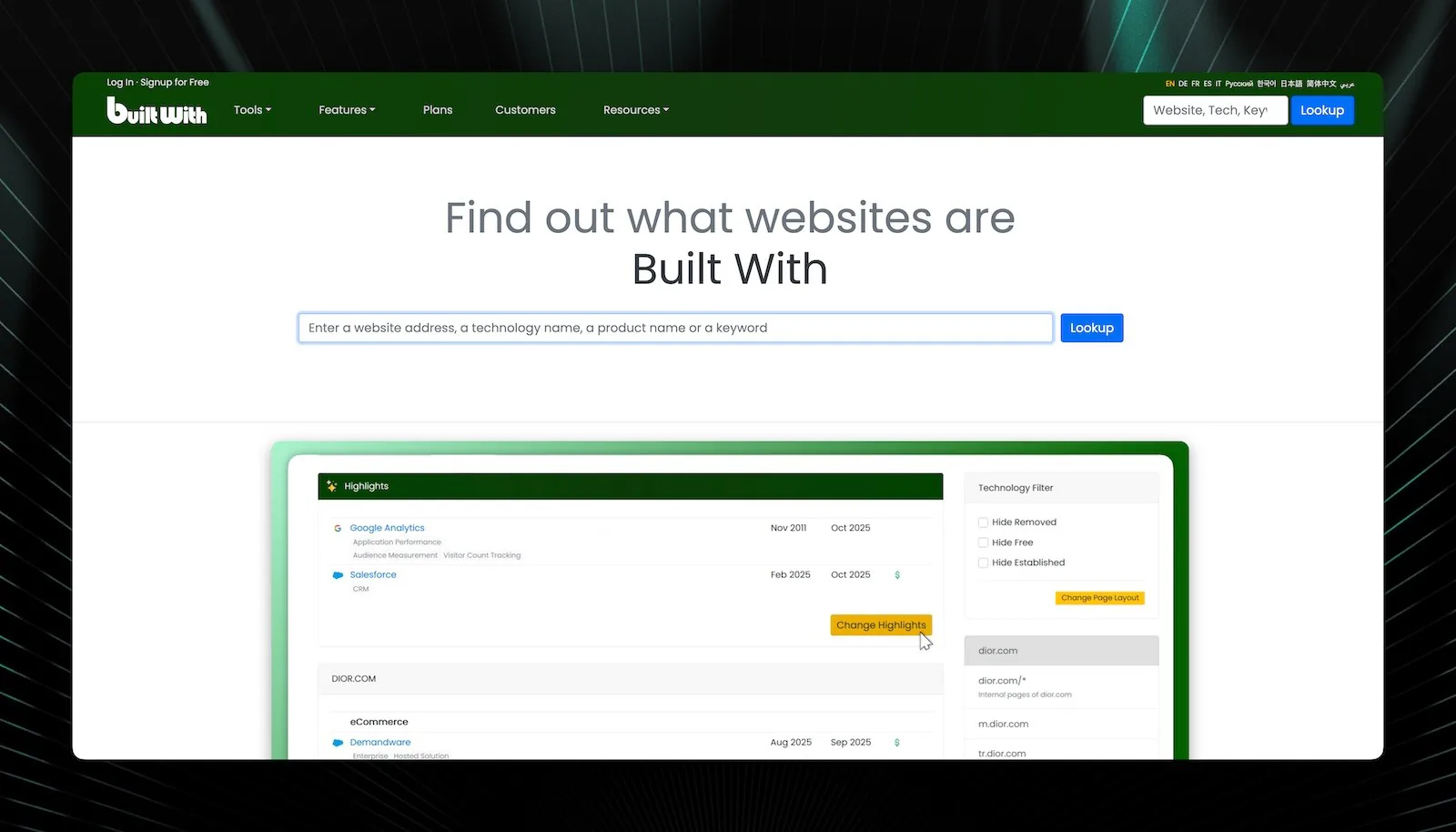
The five best BuiltWith alternatives in 2026 are Wappalyzer, TechnologyChecker.io, ZoomInfo Sales, SimilarTech, and WhatRuns. BuiltWith's entry plan now costs $295/month, not the $199 most comparison posts still quote. Prices below were verified on 15 August 2026, and every quality claim traces to a published G2 review count.
Why trust this list? I'm Mehmet Suleyman, CEO and co-founder of TechnologyChecker, and I worked on web crawling infrastructure at Microsoft Bing before that. This list rests on three things you can check yourself: pricing read from each vendor's own plans page on 15 August 2026, sentiment counts from G2's published review summaries, and detection figures from our own March 2026 crawl of 29.9M active domains. No affiliate links. TechnologyChecker competes with four of the five tools here, and I flag that everywhere it matters.
Quick Verdict: Choose Wappalyzer if you're a developer or small agency needing fast browser-based detection. Choose TechnologyChecker.io if your sales team needs 40K+ technology detection (including backend), real-time subscriber/churn signals, and verified contacts enriched from Crunchbase and LinkedIn. Choose ZoomInfo Sales if you're an enterprise with $15K+ annual budget and need full account intelligence. Pick WhatRuns for design research on a tight budget. Try SimilarTech for competitive market share analysis.
The five alternatives at a glance
- Wappalyzer (best for JavaScript framework detection in the browser)
- TechnologyChecker.io (best for backend detection with verified contact data)
- ZoomInfo Sales (best for enterprise account intelligence)
- SimilarTech (best for competitive market share analysis)
- WhatRuns (best free BuiltWith alternative for design and WordPress research)
Ordering is by breadth of job covered, widest first. It isn't a quality ranking, and the methodology section below says exactly what I could and couldn't verify.
What Are the Best BuiltWith Alternatives in 2026?
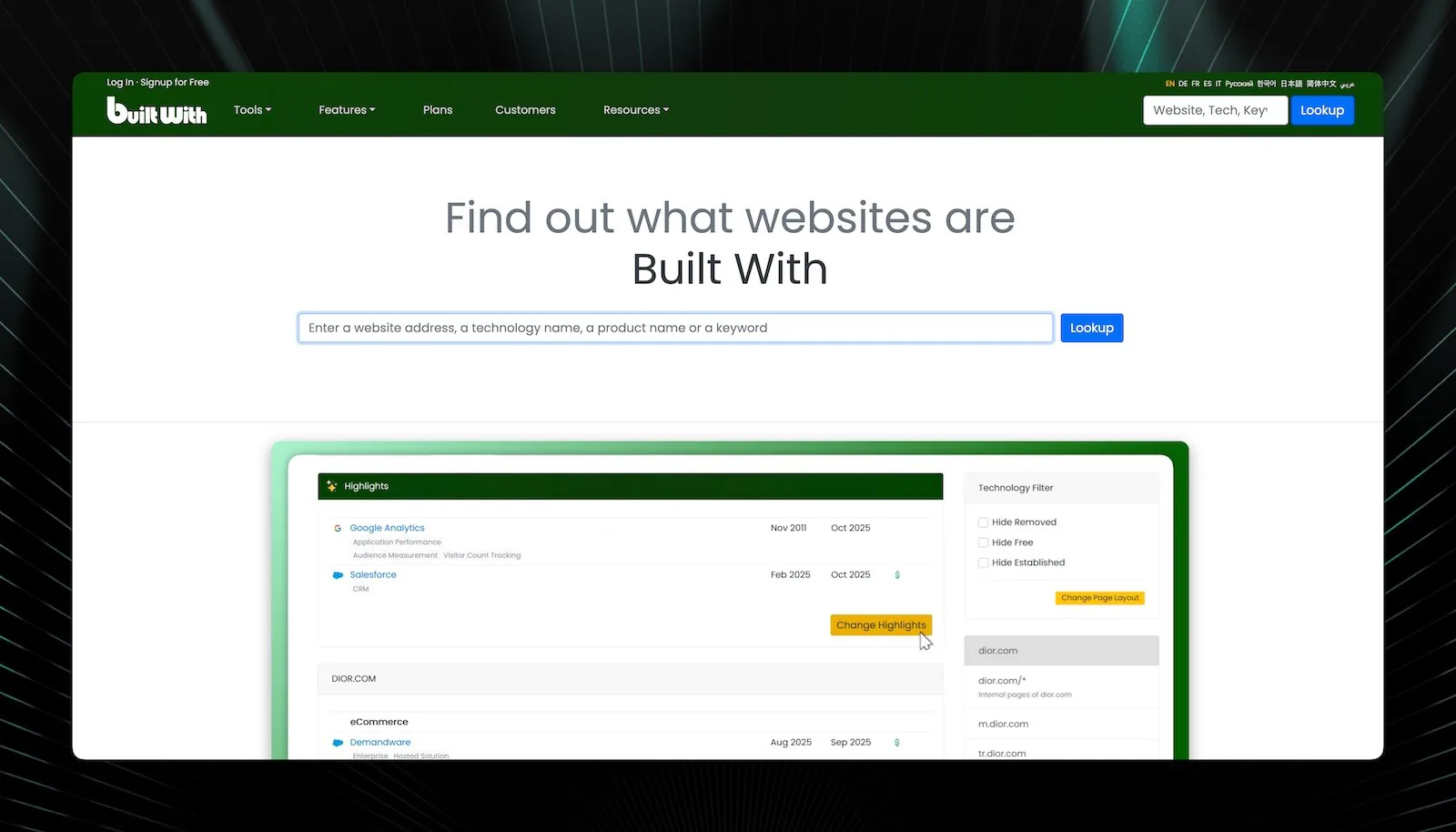
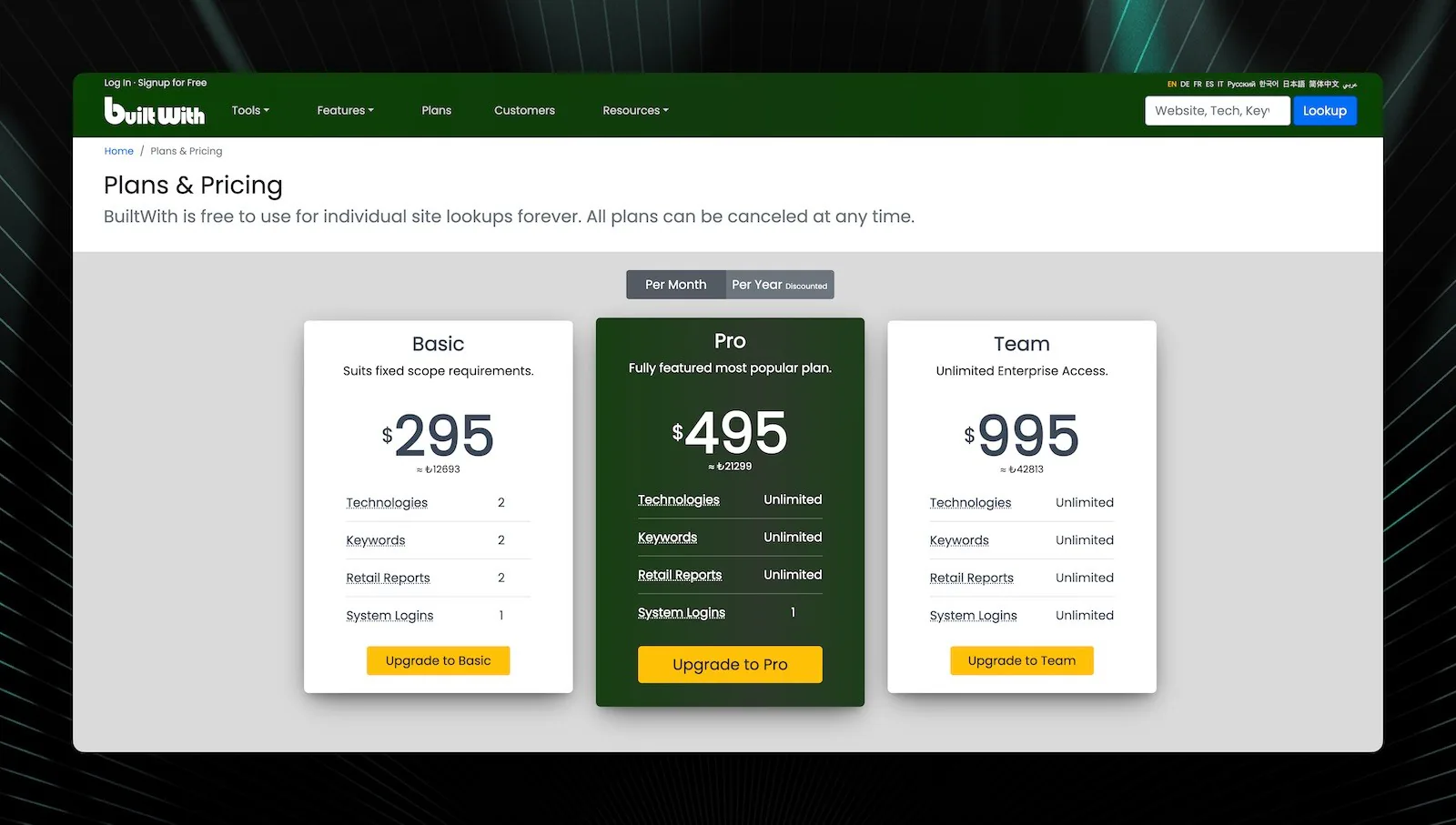
Start with the number that most comparison posts get wrong. BuiltWith's Basic plan is $295/month, its Pro plan $495/month, and Team $995/month, read from its own plans page on 15 August 2026. The widely repeated "$199/month" figure is stale, and every roundup still quoting it is working from old research. Wappalyzer moved too: its entry paid tier is $250/month now, not $149.
Here's how the five alternatives compare across the criteria that decide the purchase for sales and marketing teams: detection depth, export quality, contact data, and true cost.
| Feature | Wappalyzer | WhatRuns | ZoomInfo Sales | TechnologyChecker.io | SimilarTech |
|---|---|---|---|---|---|
| Best For | Developers, small agencies | Designers, WordPress research | Enterprise sales teams | Sales teams needing full-stack data + real-time signals | Competitive market analysis |
| Starting Price | Free / $250/mo | Free / low-cost tier | ~$15,000/year | Free / $89/mo | Free / $200/mo |
| Free Plan | Yes (browser extension) | Yes (browser extension) | No | Yes | Yes (limited) |
| Ease of Use | Beginner | Beginner | Intermediate | Beginner-Intermediate | Intermediate |
| Technologies Tracked | 3,000+ | ~1,500 | Varies (enterprise focus) | 40,000+ | 15,000+ |
| Backend Detection | Limited | No | Partial (via job postings) | Yes (DNS, TLS, API fingerprinting) | Limited |
| Historical Data | Minimal | None | Some | 20-year dataset | Market share trends |
| Verified Contacts | No | No | Yes (65M+ contacts) | Yes (enriched from web, Crunchbase, LinkedIn) | No |
| Real-Time Signals | No | No | Intent signals | Subscriber & churn alerts | No |
| CRM Integration | HubSpot (Pro tier) | None | Native Salesforce bidirectional | Salesforce, HubSpot, Pipedrive + API | API available |
| Top G2 complaint | Limited credits (2 mentions) | No G2 summary | Inaccurate data (232 mentions) | Too few reviews to summarize | Inaccurate payment data (1 mention) |
| Best Choice If... | You need quick JS framework detection | You research fonts and WordPress themes | You need full account intelligence | You want 40K+ tech detection with real-time signals and contacts | You track competitor market share |
Pricing verified 15 August 2026. G2 mention counts read from each product's published review summary the same day.
This isn't a ranking. Each tool wins in different scenarios. A solo developer and a 50-person enterprise sales team shouldn't use the same tech stack analyzer. The sections below go deep on each option so you can match the tool to your actual workflow.
How I Picked These Tools (Methodology and Limits)
Every claim in this post comes from one of four sources, and I'd rather tell you which than imply a lab test I didn't run.
- Published pricing. I read each vendor's plans page on 15 August 2026 and recorded the tiers. Where a vendor hides pricing behind a sales call (ZoomInfo) or has no official page (WhatRuns), I say so rather than guess.
- G2 review summaries. G2 publishes an aggregated summary of what reviewers praise and criticize, with a count of how many reviews mention each theme. Those counts are quoted throughout, each linked to the filtered review set so you can read the underlying reviews.
- Our own detection data. TechnologyChecker crawled 29.9M active domains in March 2026. Where a number comes from that crawl, it's labeled, dated, and linked to the technology page it came from.
- Documented product behavior. How a browser extension differs from a server-side crawler is a mechanism you can verify from the tools' own documentation, not an opinion.
What I did not do: run a head-to-head accuracy benchmark across these five tools. A fair benchmark needs paid seats on all five, a published sample, and a hand-verification protocol somebody else could repeat. I haven't done that, so you won't find a "94% vs 87%" table here. Several posts ranking for this query do publish such numbers without a methodology; treat them the way you'd treat any unaudited vendor claim.
Selection criteria, applied consistently: detection breadth (how many technologies, frontend and backend), export quality (can the output enter a CRM without cleanup), bundled contact data (does it tell you who to call), and true monthly cost including credit limits.
Persona shortcuts. If you're a developer doing one-off lookups, start with Wappalyzer's free extension and stop there. If you're an SDR building lists, the deciding factor is whether contacts come bundled, which narrows it to TechnologyChecker or ZoomInfo. If you're a designer reverse-engineering a WordPress build, WhatRuns answers the question nothing else on this list does. If your budget is under $100/month and you still need exports, the shortlist is one tool long.
Why Do Sales Teams Look for BuiltWith Alternatives?
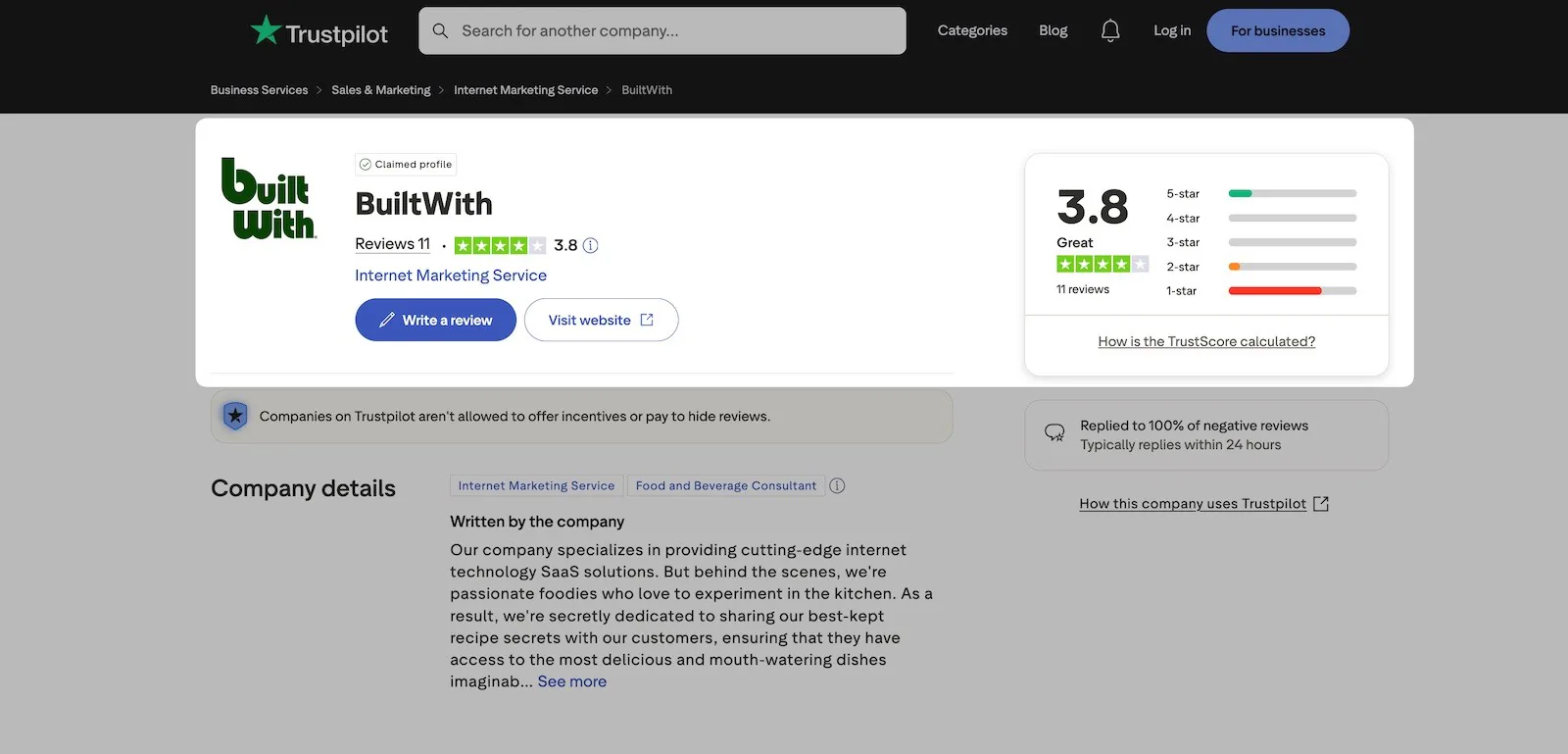
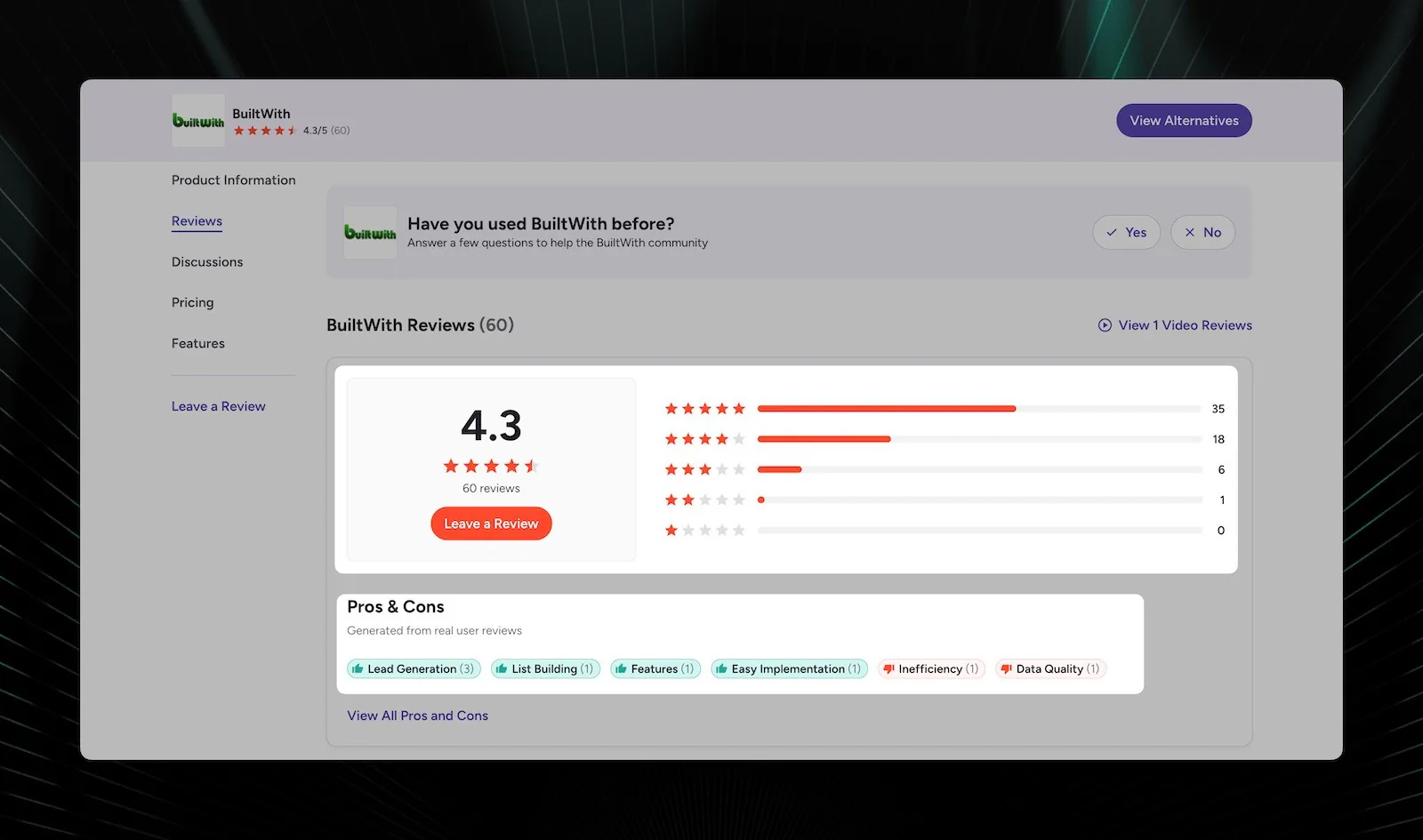
BuiltWith has been the default tech stack analysis tool since 2007. It scans over 673 million websites. That's impressive coverage. But coverage alone doesn't make a tool worth $295/month for your team.
Five problems come up again and again in BuiltWith's G2 reviews and its Chrome Web Store listing.
Problem 1: Accuracy complaints are specific and repeated. One reviewer wrote: "I would say it was accurate about 80% of the time within the free version." Another said: "Some of the information was inaccurate... it would be frustrating when I would make determinations based on the information provided that turned out to be wrong." For sales teams building targeted outreach, a one-in-five error rate means one in five personalized emails references something incorrect. That kills credibility.
Problem 2: The price went up, and it shuts out smaller teams. BuiltWith Basic is $295/month as of 15 August 2026, up from the $199 figure most comparison posts still repeat. Reviewers already called the old price "very very expensive." If you're a solo marketer doing 30 lookups a month, you're now paying nearly $10 per lookup.
Problem 3: Exports are messy, and reviewers say so in G2's own summary. BuiltWith's two most-cited criticisms on G2 are manual data management and inefficiency in data handling, both described as requiring significant manual intervention. Individual reviewers put it more bluntly: "The data outputs I get from the lists they generate is so unorganized that it is almost impossible for me to ingest it into my CRM." And: "It's a whole lot of awesome data, but nothing I can really do with it since it's so dirty."
Problem 4: No contact data. BuiltWith tells you what technologies a company uses but not who to contact. You still need Hunter.io, ZoomInfo, or another tool to find decision-makers. That's more cost and more workflow friction.
Problem 5: Backend technology detection gaps. BuiltWith is primarily a frontend scanner. It catches WordPress, Shopify, and Google Analytics reliably. But databases, server frameworks, and infrastructure choices? Those leave fewer fingerprints in HTML, and BuiltWith misses them regularly.
The honest summary from G2 reviewers: BuiltWith is "great for tech stack insights, but hard to work with at scale." The Chrome extension is genuinely excellent for one-off lookups. Users call it "magical." But the moment you try to operationalize the data for lead generation software workflows, friction multiplies.
What Do Developers and Sales Teams Recommend on Reddit?
Search "BuiltWith alternatives" and you'll notice something: half of page one is forum threads, not vendor pages. That's worth paying attention to. The discussions on r/OSINT, r/coldemail, r/webdev, and a recent Ask HN thread keep landing in the same place. Developers grab Wappalyzer's free extension for quick, one-off lookups. Sales and growth folks want bulk export and contact data, and they gripe, constantly, about BuiltWith's price and its exports. Nobody crowns a single winner, because there isn't one.
That tracks with what the review data shows. The best tool is the one that fits your specific job. Whatever you pick, run it against a few sites you already know before you build a campaign on the output, because that five-minute check catches the detection gaps no comparison table will warn you about. The reviews below are grouped that way, by the job you're trying to do.
Wappalyzer: Best Free Browser Extension for JavaScript Detection
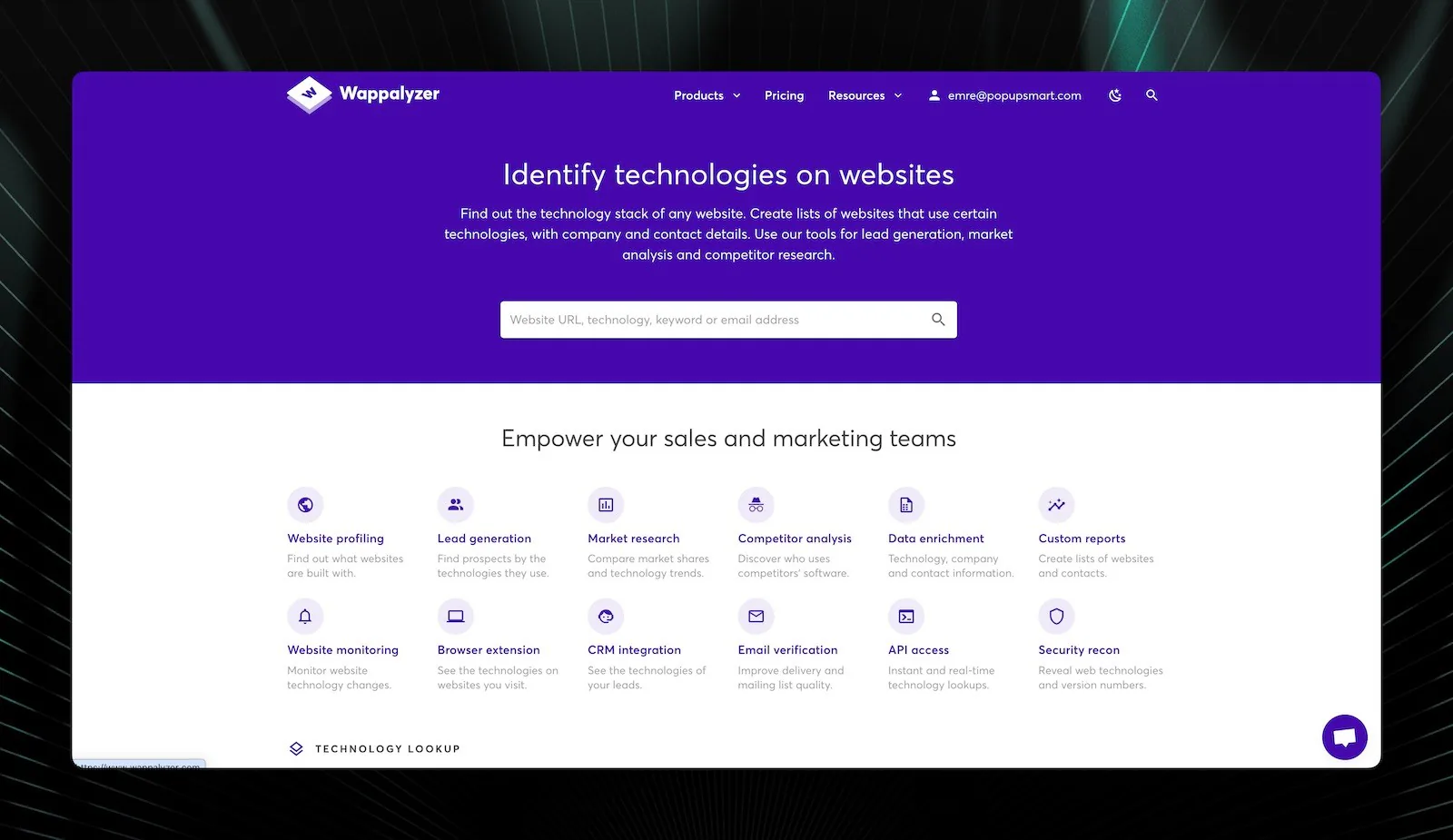
Best for: JavaScript framework detection in the browser Ease of use: Beginner Pricing: Free extension, paid from $250/mo — verified 15 August 2026 Standout feature: Open-source detection signatures you can audit yourself
Overview and Personal Take
Wappalyzer's open-source approach means you can see exactly how it identifies technologies on GitHub. That transparency is rare in this category, and it's the reason I trust its detection logic more than a closed vendor's accuracy claim.
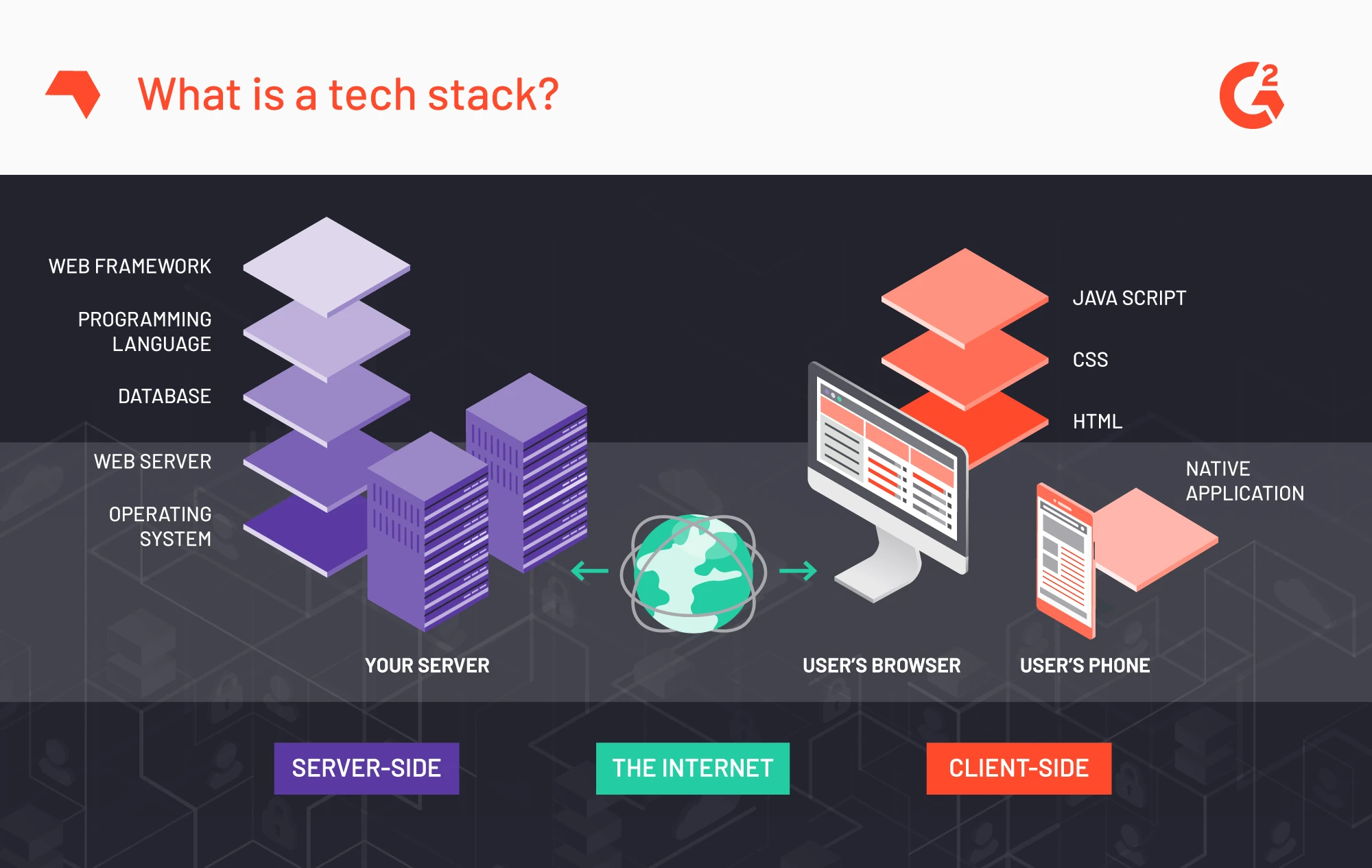
The browser extension gives it a structural advantage on JavaScript-heavy sites. It reads the page after client-side rendering completes, so a framework that only exists in the hydrated DOM is visible to it. A server-side crawler fetching raw HTML sees the pre-hydration shell and nothing else. That's a mechanism, not a marketing claim, and it's why the extension resolves single-page apps that batch crawlers report as empty.
The catch: Wappalyzer's database covers about 3,000 technologies. BuiltWith tracks far more. And Wappalyzer's historical data is minimal, so you can't see when technologies were adopted.
Where Wappalyzer Wins
- Post-render detection: The browser extension evaluates pages like a real user, catching dynamically-loaded frameworks that server-side crawlers structurally cannot see
- Open-source transparency: Their detection signatures are public. You know exactly what they're looking for and how
- Real-time detection: Results appear instantly as you browse. No waiting for database crawl cycles
- API documentation quality: RESTful API with clean JSON responses. Easier to implement than BuiltWith's more complex data structure
- Technology alerts: Get notified when tracked websites change their stack. Useful for monitoring competitor moves
Where Wappalyzer Falls Short
- Limited historical data: You can't see adoption timelines or when competitors switched tools. For teams tracking why SaaS companies switch CRMs, this is a dealbreaker
- Smaller technology database: 3,000+ technologies vs. BuiltWith's broader coverage. Niche tools might not be in their library
- No contact data: Like BuiltWith, Wappalyzer only tells you what technologies are used, not who to contact
- Restrictive credit limits on lower tiers: The entry paid plan's ~5,000 monthly credits sound generous until you're building lists of 10,000+ prospects quarterly. This is also reviewers' single most-cited complaint
Pricing Breakdown
| Plan | Monthly | Key Features | Limits |
|---|---|---|---|
| Free | $0 | Browser extension, basic detection | ~50 lookups/mo, no API |
| Starter | $250 | API access, lead lists | ~5,000 lookups, 2 monitoring targets |
| Pro | $450 | Higher volume, alerts, HubSpot integration | Mid-tier lookup ceiling |
| Scale | $850+ | 25+ users, unlimited seats | 200,000+ lookups, talk to sales |
Prices are monthly; annual billing saves 17%. Wappalyzer raised its entry tier from $149 to $250 sometime before this update, which is a 68% increase and the main reason its old price-per-lookup advantage over BuiltWith has narrowed.
Pricing verified 15 August 2026 against Wappalyzer's published plans page, cross-checked with SyncGTM's 2026 review and Derrick's tier breakdown. Tier names differ slightly between sources; the price points agree.
Feature Deep-Dive
- Browser Extension Detection: Identifies technologies in real-time as pages render. This catches client-side frameworks that static crawlers miss
- Technology Alerts: Set up monitoring for specific domains. Get notified when they add or remove technologies
- Lead Generation Lists: Build prospect lists filtered by technology. The database is smaller than BuiltWith's 673M sites, but reviewers rate its accuracy well
- API Integration: Clean RESTful API with JSON responses. Straightforward to plug into existing sales prospecting tools
- Open-Source Detection Library: Community-maintained signatures mean faster coverage of new technologies
What users say about Wappalyzer
Across G2's published review summary, Wappalyzer scores highest for ease of use (3 mentions) and detection accuracy (2 mentions). The most common criticism is limited credits (2 mentions), described as insufficient for regular use.
Two things stand out to me. First, "limited credits" being the top complaint lines up exactly with the pricing structure above: the entry plan's ceiling is where most teams hit the wall, and the fix costs another $200/month. Second, accuracy appears on both sides of the ledger, praised twice and criticized three times across separate review snippets. That split is what you'd expect from a tool whose detection is excellent on the frontend and blank on the backend, and it's why I'd never source a backend-technology list from it.
- Chrome Web Store: 4.6/5 based on 2,800+ reviews (Wappalyzer Chrome Extension)
Ideal User Profile
Choose Wappalyzer if:
- You're a freelance developer or small agency doing competitive research
- JavaScript framework detection matters more than database size
- You want a free tool that actually works for manual lookups
- Your team values open-source transparency in detection methods
Skip Wappalyzer if:
- You need historical technology adoption data
- Your workflow requires bulk list building at scale (credits run out fast)
- You need contact data bundled with technology intelligence
WhatRuns: Best Budget Option for Design and WordPress Research
Overview and Personal Take
Best for: Design and WordPress theme research on a budget Ease of use: Beginner Pricing: Free extension; low-cost paid tier — no official pricing page found as of 15 August 2026 Standout feature: Font, colour, and WordPress child-theme identification
Overview and Personal Take
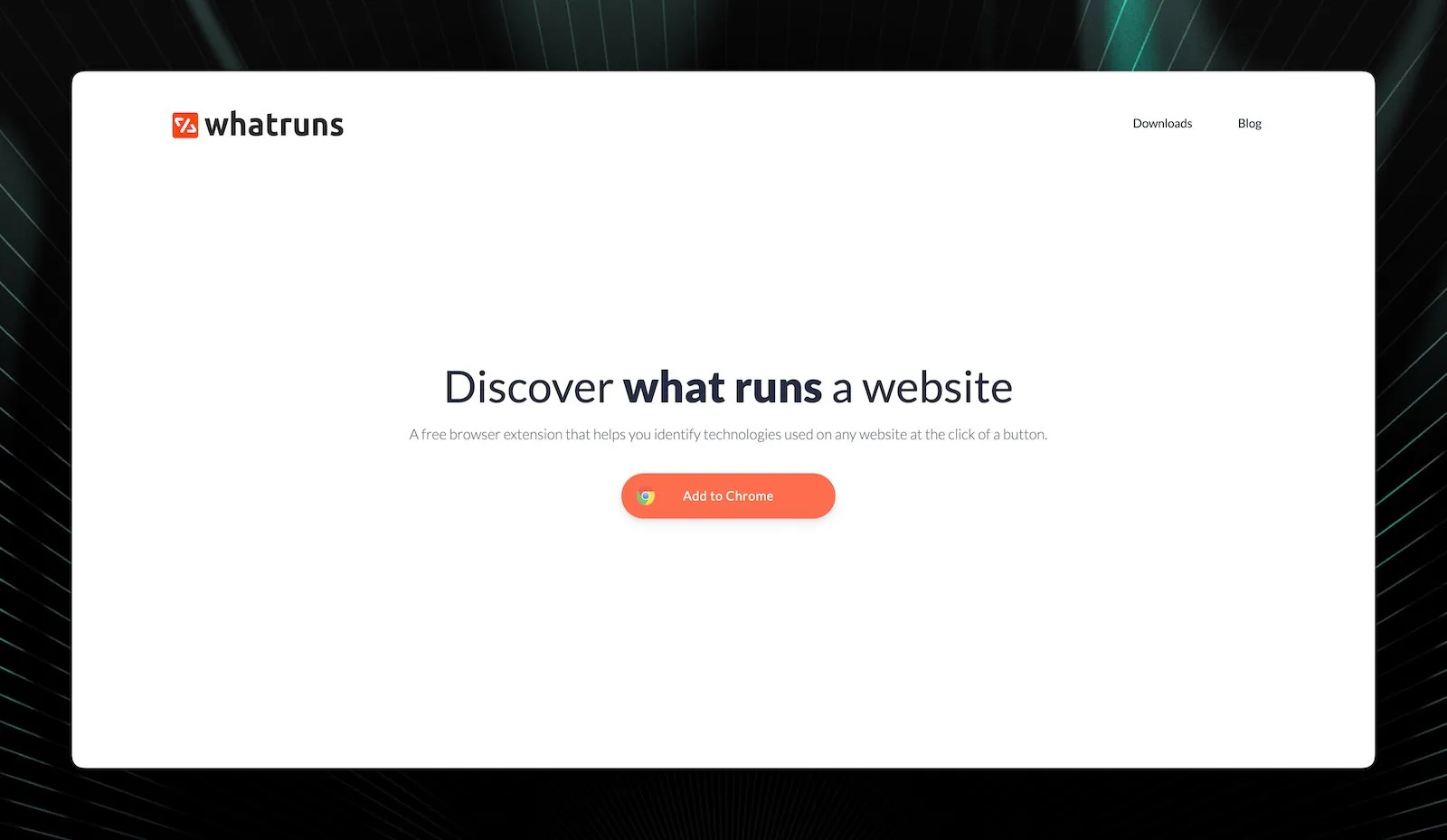
WhatRuns carved out a niche nobody else was serving: designers who need to know what fonts, colours, and WordPress themes power a specific site. That design focus is still its strongest differentiator.
While most scanners tell you a site uses WordPress, WhatRuns identifies the exact theme, active plugins, and font families. For agencies pitching redesign projects, that granular detail is worth more than knowing the CMS name. WordPress usage data shows the largest single target for this kind of research: our August 2026 crawl detects it on 9,555,391 active domains, 64.17% of the CMS category, which means theme-level detail is the only thing that actually differentiates one prospect from the next. Plugins split it further: our September 2026 crawl finds a Gravity Forms form on 277,745 websites and a WPForms form on 265,024, and the companies that use Gravity Forms include 2,050 with more than 1,000 employees, about twice the 984 among WPForms customers.
The trade-off? WhatRuns has no API, no bulk export, and no data suitable for sales prospecting. It's a research tool, not a lead generation platform.
Where WhatRuns Wins
- WordPress theme and plugin detection: Resolves child themes and specific plugin versions that CMS-level scanners collapse into a single "WordPress" label
- Font and color extraction: Pulls exact font families, weights, sizes, and hex color codes. Saves hours of manual CSS inspection
- Price-to-value ratio: Its paid tier is the cheapest in this market segment by a wide margin, and the free tier covers most design research outright
- Lightweight performance: Uses minimal browser resources compared to heavier extensions like Wappalyzer
Where WhatRuns Falls Short
- No API access whatsoever: You can't automate anything. Every lookup is manual
- No data export or list building: Impossible to use for sales prospecting at any scale
- Frontend-only detection: Doesn't even attempt to identify backend technologies or infrastructure
- Smaller technology database: Covers approximately 1,500 technologies vs. Wappalyzer's 3,000+ and BuiltWith's much larger set
Pricing Breakdown
| Plan | Monthly | Key Features | Limits |
|---|---|---|---|
| Free | $0 | Basic detection, fonts, colors | Manual lookups only |
| Premium | Low-cost tier | Notifications, site tracking, history | Site tracking cap |
WhatRuns publishes no official pricing page as of 15 August 2026. Third-party directories list a free tier plus a paid tier in the $9-$12/month range, but I couldn't verify either figure against the vendor, so treat both as unconfirmed and check in-product before you budget for it.
Feature Deep-Dive
- Font Detection: Identifies exact font families, weights, and sizes used across any page. Designers swear by this
- Color Palette Extraction: Pulls primary and accent colors with hex codes. Much faster than using browser DevTools
- WordPress Theme Identification: Detects specific themes and active plugins down to version numbers
- Technology Notifications: Premium users get alerts when tracked sites change their stack
- Minimal Resource Footprint: Runs lighter than most tech detection extensions
What users say about WhatRuns
WhatRuns has too few G2 reviews to generate a published summary, so there are no mention counts to quote here. That absence is itself informative: it's a free browser extension used by designers, and designers don't file B2B software reviews. The signal lives in the Chrome Web Store instead.
- Chrome Web Store: 4.7/5 based on 1,200+ reviews (WhatRuns Chrome Extension)
Users praise the simplicity and design-focused features. The most common complaint: they wish it had API access or bulk capabilities.
Ideal User Profile
Choose WhatRuns if:
- You're a web designer researching competitor sites or building client proposals
- WordPress theme and plugin identification is your primary need
- You want the cheapest paid option in this category
- You only need manual, one-at-a-time lookups
Skip WhatRuns if:
- You need any form of API access or data export
- You're building prospect lists for sales outreach
- Backend technology detection matters for your use case
- You need to track sites beyond its tracking cap
ZoomInfo Sales: Best Enterprise Platform for Full Account Intelligence
Overview and Personal Take
Best for: Enterprise account intelligence Ease of use: Intermediate Pricing: No public pricing; annual contracts, widely reported from ~$15,000/yr — checked 15 August 2026 Rating: 4.4/5 on G2, thousands of reviews Standout feature: Technographics, contacts, and intent signals in one record
Overview and Personal Take
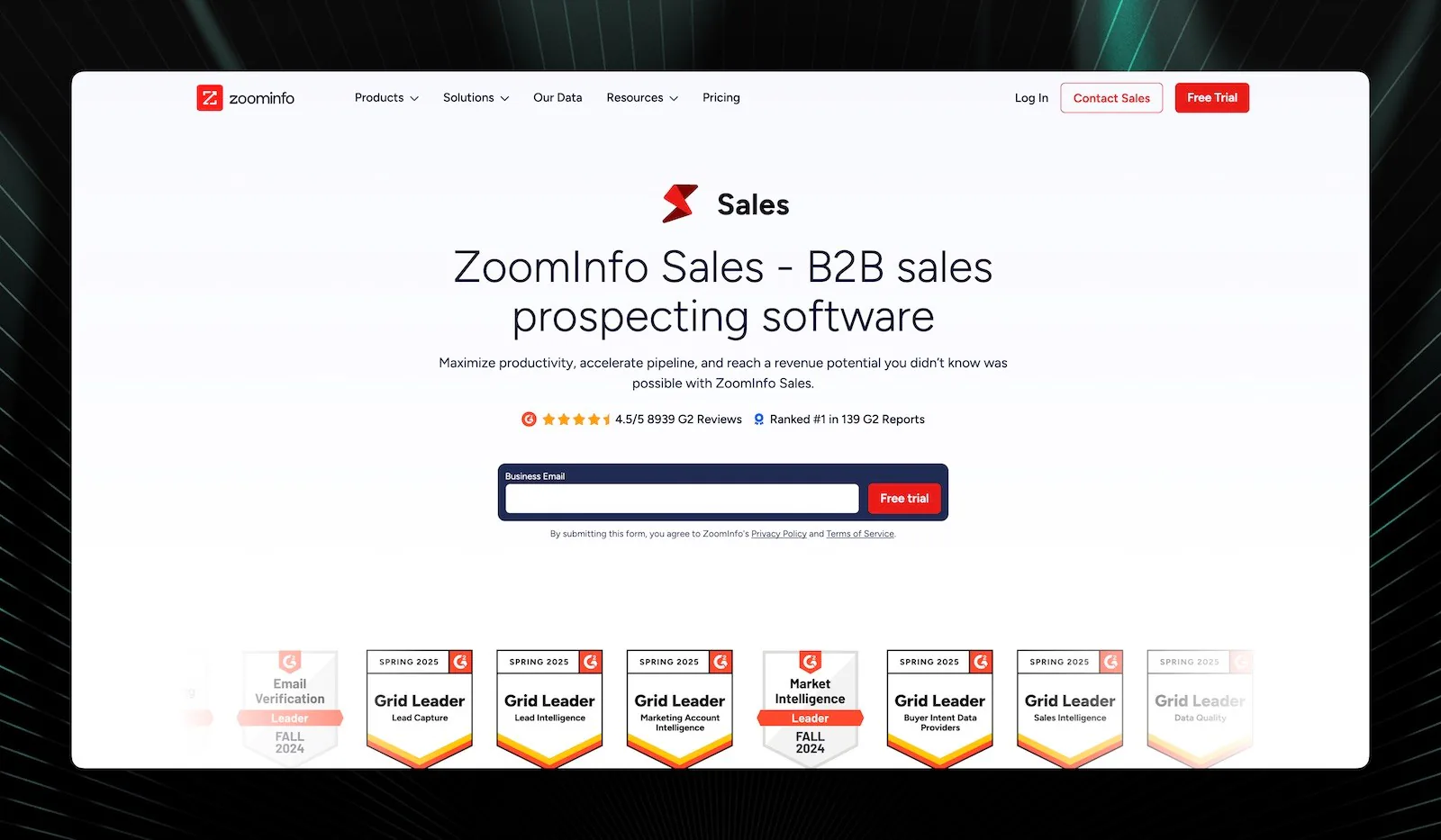
ZoomInfo Sales works differently than BuiltWith. It doesn't stop at telling you what technologies a company uses. It builds complete account profiles: technology stack, decision-maker contacts with direct dials, organizational charts, and buying intent signals.
One thing to know before you search for it: G2 now lists the product as GTM Workspace, powered by ZoomInfo. Review links that used to resolve to zoominfo-sales redirect to the new listing, so a 2026 roundup still pointing at the old slug is quoting a page that has since moved.
The real differentiator: ZoomInfo connects tech stack data to 65+ million verified contacts and behavioral intent signals. You find out a company uses Salesforce, get the VP of Sales Operations' direct dial, and see that they've been researching CRM alternatives. That's three data points from one platform instead of three separate tools.
Where ZoomInfo Wins
- Unified account intelligence: Technographics, contacts, intent data, and org charts in one place. No other tool on this list offers that combination
- The largest contact database here: 65+ million direct dials and verified emails. Contact quality is its most-praised attribute on G2 by a wide margin (413 mentions)
- Native Salesforce CRM integration: Bidirectional sync that auto-enriches lead records. The strongest CRM integration in this category
- Intent data signals: Identifies companies actively researching solutions in your category, so you reach prospects when they're actually ready to buy
- Organizational charts: Visualize reporting structures to map decision-makers and influencers before you call
Where ZoomInfo Falls Short
- Pricing starts at five figures annually: $15,000-$20,000 for Professional. That's prohibitive for teams under 10 people
- Annual contracts required: No monthly option. You're committing for 12 months minimum
- Fewer technologies detected: Their technology database is narrower than BuiltWith's. They focus on enterprise software rather than every JavaScript library
- Steep learning curve: The platform is powerful but takes 5-10 hours of training to use effectively
Pricing Breakdown
| Plan | Annual Cost | Key Features | Typical Team Size |
|---|---|---|---|
| Professional | $15,000-$20,000 | Basic technographics, contacts, org charts | 5-10 users |
| Advanced | $25,000-$35,000 | Intent data, advanced filters, API | 10-25 users |
| Elite | $40,000+ | Custom integrations, dedicated CSM | 25+ users |
Multi-year contracts typically secure 15-20% discounts. Q4 negotiations tend to yield the best pricing since their sales team has quota pressure.
Feature Deep-Dive
- Intent Data Integration: Goes beyond tech stack detection. Identifies companies actively consuming content related to your solution category
- Verified Contact Database: 65+ million direct dials and emails. Contacts are verified through automated and human research teams
- Technographic Filtering: Build prospect lists based on technology combinations (e.g., "uses HubSpot but not Salesforce")
- Workflow Triggers: Automate enrichment within Salesforce. When a new lead enters, ZoomInfo fills in the blanks without manual work
- Organizational Charts: Map the buying committee before you make the first call
What users say about ZoomInfo Sales
ZoomInfo has by far the deepest review pool on this list, which makes its G2 summary the most statistically meaningful one here. Reviewers rate its contact database highest (413 mentions), followed by ease of use (403 mentions) and data accuracy (384 mentions).
Now read the other column. ZoomInfo's top two criticisms are inaccurate data (232 mentions) and outdated data (232 mentions), with outdated contacts (215 mentions) close behind. Four of its five most-cited complaints are the same complaint: the data goes stale.
I find that split more useful than any accuracy percentage a vendor publishes. Data accuracy is simultaneously ZoomInfo's third-most-praised attribute and the theme underneath its four loudest criticisms, and both readings are correct. A contact database that large decays constantly, because people change jobs. So the honest framing isn't "ZoomInfo's data is accurate" or "ZoomInfo's data is stale." It's that coverage this broad buys you reach and costs you freshness, and the 232-mention figure is roughly what that trade-off looks like at scale. Budget for verification before the first send, whichever vendor you pick.
Ideal User Profile
Choose ZoomInfo Sales if:
- You're an enterprise sales team with 10+ reps and a $15K+ annual tool budget
- Contact data quality matters as much as technology detection
- You need intent signals to time your outreach
- Your team lives inside Salesforce and needs native integration
Skip ZoomInfo Sales if:
- Your annual budget for tech detection is under $10,000
- You're a solo marketer or small agency
- You mainly need frontend technology identification
- You can't commit to an annual contract
TechnologyChecker.io: Best for Full-Stack Detection, Real-Time Signals, and Verified Contacts
Overview and Personal Take
Best for: Backend detection paired with verified contact data Ease of use: Beginner to Intermediate Pricing: Free tier; paid from $89/mo — verified 15 August 2026 Standout feature: Real-time subscriber and churn alerts with contacts attached
Full disclosure: I'm the CEO of TechnologyChecker.io. This is the one section where I'm reviewing my own product, so I'll stick to numbers you can check. I built the platform after years of frustration with BuiltWith's messy exports, Wappalyzer's lack of historical data, and the fact that no tool at a reasonable price combined technology detection with actual company and contact data. My background on Microsoft's Bing search and AI teams taught me how large-scale web crawling works, and I applied that to the pain points GTM teams kept describing.
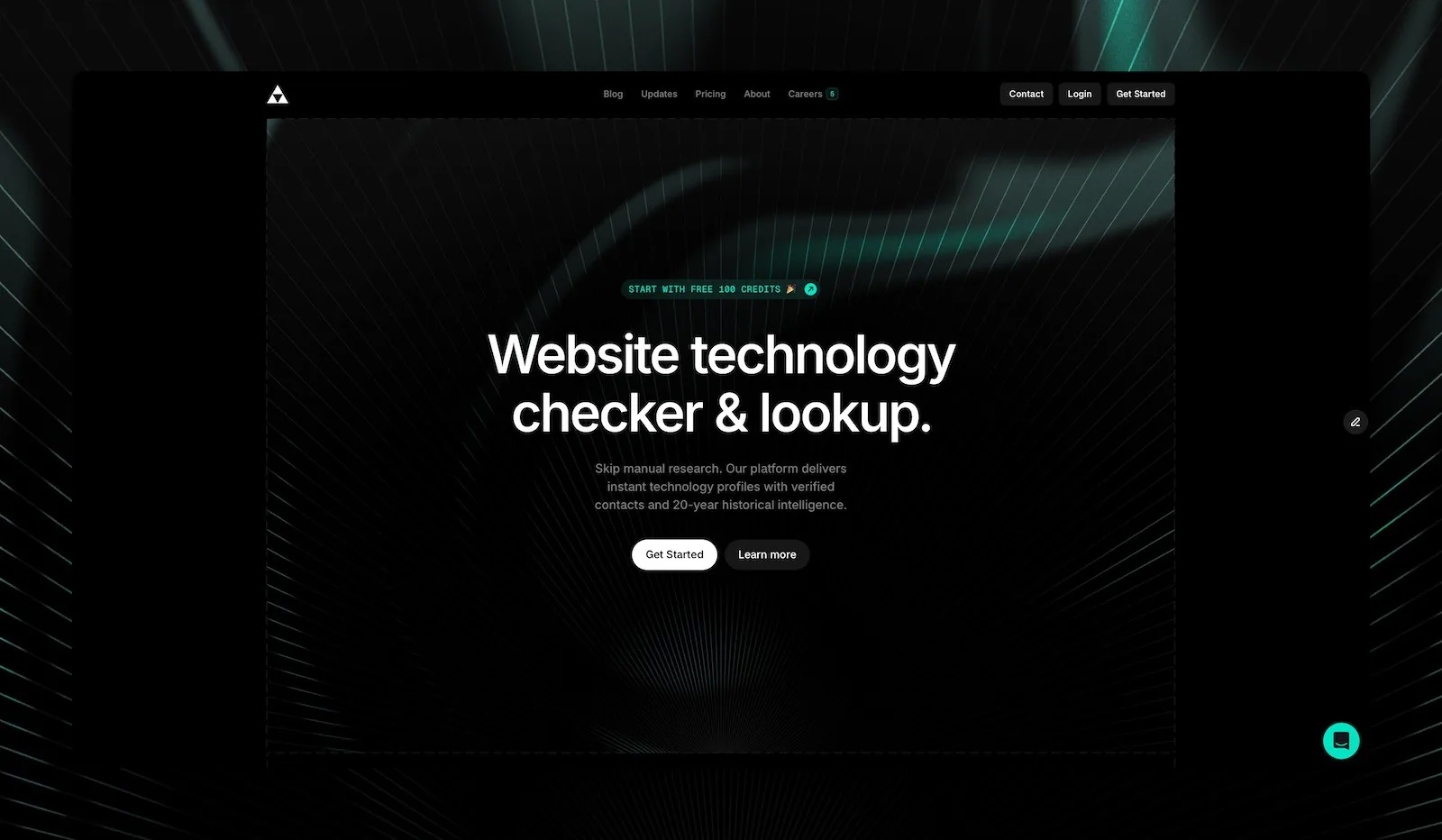
We track 40,000+ technologies across 29.9M active domains. That includes backend infrastructure (n8n, databases, APIs), standalone platforms (Airtable, Notion, Zapier), and frontend frameworks. We detect them with multi-signal fingerprinting: headless JS rendering, DNS records, TLS certificates, HTTP headers, and API probing. (For the mechanics of how each layer works, see how technology detection works.) That full-stack approach catches tools the HTML-only scanners miss.
On top of detection we run real-time subscriber and churn signals: the moment a company adopts or drops a technology, you get an alert with the verified decision-maker's email, plus what they switched to. Company data is enriched from Crunchbase (firmographics), LinkedIn (titles), and our own deliverability-verified email network. So instead of "5,000 companies use Stripe," you get the named companies and who to contact.
What our detection data actually looks like
This is the block I can evidence better than anything else in this post, so here are three dated numbers from our August 2026 crawl rather than an adjective.
| Technology | Live domains | Previously detected | Category rank |
|---|---|---|---|
| WordPress detection profile | 9,555,391 | 326,898 | 1 (64.17% share) |
| Shopify adoption data | 2,246,824 | 129,580 | 1 (34.42% share) |
| HubSpot install base | 583,796 | 32,059 | 1 (47.55% share) |
That second column is the one no other tool on this list exposes. HubSpot is a good example: we currently detect it on 583,796 active domains, and we've previously detected it on 32,059 more. That second number is worth reading carefully in either direction. Marketing-tag detection is intermittent by nature, and a single-sighting domain is the corpus norm rather than the exception, so the honest reading is "these domains ran HubSpot's tag at some point," not "these domains abandoned HubSpot."
Where the previously-detected pool earns its keep is direction. Of domains that moved onto HubSpot, 11,866 came from Mailchimp's tracked base, 1,713 of them in the last year alone. Moving the other way, 3,741 went to Klaviyo. If you sell against Mailchimp, that first number is a live target list. If you sell against Klaviyo, the second one tells you where you're losing.
I read that Stripe number as the most useful correction to how this category is usually sold. Every vendor quotes live installs, because a big number sells. Net movement is what tells you whether a buying window is open, and last year Stripe's net gain against PayPal was about 5,000 domains, not the 34,039 lifetime figure a screenshot would show you. Both sides of that flow also have a standing base: our PayPal customers profile lists the domains we currently detect.
The Scale plan adds a 20-year historical dataset for ICP analysis: which technology combinations your best customers share. That's the kind of pattern work HG Insights packages at $50K+/year. See our Shopify ecosystem analysis for a real-world example. Pricing sits well below that, with details in the breakdown below.
But we're newer. Brand recognition isn't where BuiltWith or ZoomInfo sit, and our detection library, while the broadest by count, is still growing in niche verticals.
Where TechnologyChecker Wins
- 40,000+ technologies with full-stack detection (backend + frontend + standalone): DNS records, TLS certificates, HTTP headers, headless JS rendering, and API fingerprinting catch backend tools (n8n, databases) and standalone platforms (Airtable, Notion) that HTML-only scanners miss. It's one of the broadest detection libraries among the tools compared here
- Real-time subscriber & churn signals: Know the moment companies adopt or drop any technology. Get alerts with verified contacts and act during active buying windows, not weeks later. Few tools at this price point offer it
- Company + contact data enriched from multiple platforms: Firmographics from Crunchbase, professional profiles from LinkedIn, deliverability-verified emails from our B2B data network. For each technology, see which companies use it AND who the decision-makers are
- Replacement technology detection: When a company drops a technology, we detect what they switched to, so you know if the buying window is still open
- Custom audience email exports: Export technology-segmented contact lists formatted for LinkedIn Matched Audiences, Facebook Custom Audiences, and Google Customer Match. Build audiences like "VP Operations at companies using Airtable" in minutes
- Clean exports and bulk processing: CSV/XLSX/API outputs designed for CRM ingestion. Handle up to 100,000 rows per upload. No manual cleanup required
- 20-year historical dataset with ICP analysis (Scale plan): Build data-driven ICP profiles by analyzing which technology patterns your best customers share. Predict churn based on historical migration patterns. Intelligence that HG Insights prices at $50K+/year
Where TechnologyChecker Falls Short
- Newer platform, smaller brand recognition: We don't have BuiltWith's 17-year head start, Wappalyzer's 2.5M+ extension users, or ZoomInfo's enterprise sales force. Just 5 G2 reviews so far (4.9/5), versus the thousands the incumbents have accumulated
- Not ideal for WordPress-specific theme detection: WhatRuns resolves child themes and plugin versions; we report WordPress at the CMS level
- Feature depth may exceed small team needs: If you only need occasional one-off lookups, the subscriber/churn signals, historical data, and custom audience features are overkill. Wappalyzer's free extension is better for that
Pricing Breakdown
TechnologyChecker starts at $89/month (Pro). That includes 10,000 lookups, verified contacts, real-time subscriber/churn alerts, API access, and CRM integration. The Scale plan at $249/month unlocks 50K+ lookups, full 20-year historical intelligence, SSO, and a dedicated success manager.
The comparison worth making is per-lookup at the entry tier. Wappalyzer's $250/month buys roughly 5,000 lookups without contacts, alerts, or historical data, which works out near $0.05 each. Our $89 Pro tier includes 10,000 lookups with contacts attached, closer to $0.009. I'd rather you check that arithmetic than take my word for it, so both source figures are in the pricing tables above and below.
| Plan | Price | Key Features | Best For |
|---|---|---|---|
| Free | $0 | 100 lookups/mo, basic company enrichment, 6-month historical view, CSV export | Individual researchers |
| Pro | $89/mo | 10K lookups/mo, verified contacts, real-time alerts, CRM integrations, API access | Growing sales teams |
| Scale | $249/mo | 50K+ lookups/mo, full 20-year historical intelligence, SSO & SCIM, dedicated success manager | Enterprise GTM teams |
Prices are monthly; annual billing is 17% less. Pricing verified on 15 August 2026 from our own pricing page.
Feature Deep-Dive
- 40,000+ Technologies via Full-Stack Detection: Headless JS rendering, HTTP headers, DNS records, TLS certificates, and API probing across 29.9M active domains. Catches backend infrastructure (n8n, databases), standalone platforms (Airtable, Notion, Zapier), and frontend frameworks that HTML-only scanners miss
- Real-Time Subscriber & Churn Signals: Get instant alerts when companies adopt or drop any technology. Each alert includes verified contacts, company data, and replacement technology detection. An SDR selling a CRM platform can see 47 companies that churned from a competing CRM this week, with decision-maker emails ready for outreach
- Multi-Platform Contact & Company Enrichment: Company firmographics from Crunchbase (funding, revenue, headcount), professional profiles from LinkedIn (titles, departments), deliverability-verified emails from our B2B data network. You get who to call and why they're worth calling
- Custom Audience Email Exports: Export verified email lists segmented by technology + role + company size + industry, formatted for LinkedIn Matched Audiences, Facebook Custom Audiences, and Google Customer Match. Build audiences like "VP Operations at US companies using Airtable with 50-500 employees"
- Bulk Processing: Upload CSVs with up to 100,000 domains. Results come back clean and CRM-ready with company + contact data
- CRM Automation: Native Salesforce, HubSpot, and Pipedrive integrations. Auto-trigger workflows on subscriber/churn events. Lead scoring based on technology fit + signal strength
- 20-Year Historical Dataset + ICP Analysis (Scale plan): Analyze which technology combinations correlate with your best customers. Track migration patterns, predict churn, and identify buying windows using two decades of data. Our marketing automation market share analysis demonstrates the depth
Real User Feedback
-
G2: 4.9/5 based on 5 reviews
-
"TechnologyChecker showed us that 73% of our churned customers switched to Workday within 90 days. Now we proactively address enterprise migration concerns before renewal." -- Luca Rossi, Head of Customer Success, Horilla
-
"We've completely transformed our ICP targeting with TechnologyChecker's technographic data. Being able to see exactly which tools prospects are using has increased our conversion rates by 40%." -- Mert Aktas, Head of Growth, Userguiding
Ideal User Profile
Choose TechnologyChecker if:
- You need backend and standalone platform detection across 40K+ technologies that Wappalyzer and BuiltWith miss
- Your sales team needs real-time alerts when prospects adopt or drop technologies, with verified contacts included
- You want company data (from Crunchbase) and contact data (from LinkedIn and web) enriched together for each technology signal
- You run ABM campaigns and want to export technology-segmented custom audiences for LinkedIn, Facebook, or Google Ads
- Historical adoption patterns and ICP analysis matter for your prospecting strategy (Scale plan)
- You want the intelligence that HG Insights provides at $50K/year, starting at $89/month (Pro) or $249/month (Scale with full 20-year history)
Skip TechnologyChecker if:
- You only need occasional one-off lookups (Wappalyzer's free extension handles that)
- WordPress theme detection is your primary use case (WhatRuns is better)
- You need the brand recognition and G2 review history of an established platform for internal buy-in
SimilarTech: Best for Competitive Market Share Analysis
Overview and Personal Take
Best for: Competitive market share analysis Ease of use: Intermediate Pricing: Free tier; Basic $200/mo, Ultimate $490/mo — verified 15 August 2026 Standout feature: Category-level adoption trend lines
Overview and Personal Take
SimilarTech does something the other tools on this list don't prioritize: competitive market share analysis. While Wappalyzer and WhatRuns focus on individual site detection and ZoomInfo focuses on account intelligence, SimilarTech shows you which technologies are gaining or losing share across entire categories.
Worth knowing before you evaluate it: SimilarTech is now a Similarweb company, and its site brands accordingly. That changes the buying conversation, because you're increasingly evaluating a module inside a larger analytics suite rather than a standalone technographics vendor.
The interface is more analytical than sales-focused. If you need to answer "What percentage of e-commerce sites use Shopify vs. WooCommerce?" SimilarTech gives you that data with trend lines. For context on what those category numbers look like from our side, our March 2026 crawl puts Shopify at 34.72% of the e-commerce category and first by install count.
SimilarTech attracts a smaller but focused audience than Wappalyzer. It's a specialist tool, not a mass-market one.
Where SimilarTech Wins
- Market share analysis: See which technologies are growing or shrinking across entire market segments. No other tool does this as well
- Category-level insights: Understand adoption trends for CMS, analytics, e-commerce, and other technology categories
- Competitive intelligence reports: Generate reports showing how your technology stacks up against competitors in terms of adoption
- Free tier available: Basic lookups don't require payment
Where SimilarTech Falls Short
- No contact data: Like BuiltWith and Wappalyzer, it's technology data only. No decision-maker information
- Limited backend detection: Primarily frontend-focused scanning
- Smaller user community: Fewer reviews and less third-party validation than Wappalyzer or ZoomInfo
- Less useful for individual prospect research: The tool is built for market analysis, not one-by-one sales prospecting
Pricing Breakdown
| Plan | Price | Key Features | Best For |
|---|---|---|---|
| Free | $0 | Basic lookups, limited reports | Individual researchers |
| Basic | $200/mo | Market reports, technology lists | Market research teams |
| Ultimate | $490/mo | Full market reports, API access, alerts | Larger analytics teams |
Pricing verified 15 August 2026 via SimilarTech's G2 pricing listing. The older $199/mo single-tier figure that circulates in comparison posts no longer matches the published editions.
Feature Deep-Dive
- Technology Market Share Reports: Visualization of technology adoption across industry segments, with trend data over time
- Competitor Tracking: Monitor when competitors gain or lose websites using their technology
- Technology Usage Lists: Generate lists of websites using specific technologies, filterable by geography and industry
- API Access: Programmatic access to technology and market share data
- Trend Analysis: Track the rise and fall of technologies across the web over months and years
What users say about SimilarTech
SimilarTech's G2 summary is thin enough to be worth reporting honestly: one praised theme, traffic analysis (1 mention), and one criticism, inaccurate data on payments and currencies (1 mention). Two data points don't establish a pattern, and I won't pretend otherwise.
The criticism does line up with a real structural limit, though. Payment processors are among the hardest technologies to detect from the frontend, because checkout is often iframed or served from a separate domain. That's the same reason our own payments coverage runs narrower than our CMS coverage: we rank Stripe eighth in its category at 2.49% share, versus WordPress first at 64.17%. Bank-linking tools are harder still: Plaid mostly runs inside mobile apps and logged-in flows, so of the 3,891 domains where we detect it, only 1,973 load Plaid Link on the page itself. Help desks are hidden in a different way: agents answer tickets inside Freshdesk's app, which no crawler sees, so the 5,430 websites our September 2026 crawl counts are only the companies that put its Help Widget or a Freshdesk help centre on their own site, against the more than 50,000 businesses Freshworks says use it. Donation forms hide behind iframes too: we count Givebutter customers only where a page loads one of its scripts, so our 8,873 sites leave out nonprofits that embed its form in an iframe or link out to a campaign page. Any scanner that reads mainly the rendered page will understate payments, and a reviewer who checked their own checkout stack would notice.
Ideal User Profile
Choose SimilarTech if:
- Market share analysis and technology adoption trends are your primary need
- You're doing competitive intelligence at the category level, not individual prospect research
- You want to answer questions like "Which CMS is gaining ground in e-commerce?"
- Your use case is research and reporting rather than sales prospecting
Skip SimilarTech if:
- You need verified contact data alongside technology detection
- Individual prospect research is your main workflow
- You need historical data going back more than a few years
- CRM integration is a priority
How Does BuiltWith vs. Wappalyzer Compare Head-to-Head?
This is the most common comparison question I get, so here's the direct comparison across three areas.
Data Accuracy and Coverage
Winner: It depends on what you're detecting.
For JavaScript frameworks like React, Vue, and Angular, Wappalyzer has the structural advantage. Its extension reads the page after the browser finishes rendering, so a framework that only exists in the hydrated DOM is visible to it. BuiltWith's server-side crawler fetches raw HTML and sees the pre-hydration shell. Our own crawl has a concrete case: 59 of the 114 verified Blazor sites whose startup script we could read in September 2026 load .NET 8's blazor.web.js, a file our script patterns don't name, and we only catch those companies that use Blazor through the Blazor object the page sets once it runs. Neither vendor publishes an audited accuracy benchmark, and I'd distrust any roundup that quotes one to the percentage point.
For total coverage, BuiltWith wins. Their database spans 673M+ websites. Wappalyzer's is significantly smaller. If you need to know whether an obscure B2B tool is running on a mid-size company's site, BuiltWith is more likely to have it indexed.
For CMS detection (WordPress, Shopify, Drupal), both tools score 90%+ and the difference is negligible.
Pricing and Value
Winner: Wappalyzer for free users. BuiltWith for unlimited paid lookups.
Wappalyzer's free extension is genuinely useful for individual lookups. BuiltWith's free tier caps you at 5 detailed lookups per day. Above that, both repriced upward in 2026 and the old comparison no longer holds. Wappalyzer's paid tiers meter credits at roughly $250 for 5,000 lookups, about $0.05 each. BuiltWith's $295 Basic plan doesn't meter lookups but caps you at 2 technologies and 2 keywords, so unlimited tracking means the $495 Pro tier.
Which is cheaper now depends entirely on shape, not volume. Track one or two products at high query volume and BuiltWith's flat rate still wins. Track a portfolio and its per-technology caps push you to $495 before Wappalyzer's credits run out.
API and Integration
Winner: Wappalyzer for developer experience. BuiltWith for raw data volume.
Wappalyzer's RESTful API has better documentation, cleaner JSON responses, and working code examples. BuiltWith's API returns more data but in a more complex structure that takes longer to parse and integrate. For teams plugging into HubSpot or other CRM integration tools, Wappalyzer offers native connectors on Pro tier. BuiltWith requires custom API work or Zapier.
How Much Do BuiltWith Alternatives Actually Cost?
Pricing transparency separates legitimate technology detection systems from overpriced data brokers. Many platforms in this category bury their actual costs behind "contact sales" forms, and several of the published figures circulating in comparison posts are a year or more out of date. Every number below was read on 15 August 2026.
Full Pricing Comparison
| Tool | Free Tier | Lowest Paid | Mid Tier | Enterprise | Annual Discount |
|---|---|---|---|---|---|
| Wappalyzer | Browser extension (~50 lookups) | $250/mo (~5K lookups) | $450/mo | $850+/mo (200K+ lookups) | 17% |
| WhatRuns | Browser extension | Low-cost tier (unverified) | N/A | N/A | Not published |
| ZoomInfo Sales | None | ~$15,000/yr (5-10 users) | ~$30,000/yr (10-25 users) | $40,000+/yr (25+ users) | Multi-year: 15-20% |
| TechnologyChecker.io | 100 lookups/mo | $89/mo (10K lookups + contacts + alerts) | $249/mo (50K+ lookups + 20-year history + SSO) | Custom | 17% (annual) |
| SimilarTech | Limited lookups | $200/mo (Basic) | $490/mo (Ultimate) | Custom | Varies |
| BuiltWith | 5 lookups/day | $295/mo (Basic) | $495/mo (Pro) | $995/mo (Team) | Yearly totals $2,950/$4,950/$9,950 |
All figures verified 15 August 2026. BuiltWith and Wappalyzer both raised entry pricing since this post first published; the old $199 and $149 figures are the two most commonly repeated errors in this category.
What Each Budget Level Actually Gets You
$0/month (free tiers): Wappalyzer and WhatRuns browser extensions handle manual lookups. You'll research 30-50 prospects monthly with no automation. This works for solo marketers and freelancers. The moment you need a prospect list of 500 companies using Shopify Plus, free tiers become useless.
Under $100/month (budget tier): WhatRuns' paid tier covers design research for a few dollars a month. Below $100, that plus TechnologyChecker's $89 Pro plan is the entire shortlist, because Wappalyzer's cheapest paid tier is now $250 and BuiltWith's is $295. The budget bracket that used to hold three tools now holds two.
$89-$495/month (mid-market): TechnologyChecker Pro ($89/month) includes 10K lookups with verified contacts, real-time subscriber/churn alerts, and CRM integration. TechnologyChecker Scale ($249/month) adds 50K+ lookups, full 20-year historical intelligence, and SSO. Wappalyzer at $250/month provides roughly 5,000 lookups without contacts or alerts. BuiltWith Basic ($295/month) caps you at 2 technologies and 2 keywords on 1 login; unlimited technologies start at the $495 Pro tier, which is a detail most comparison tables omit and which changes the calculation entirely if you track more than a couple of products.
$15,000-$40,000+/year (enterprise): ZoomInfo requires annual commitments and publishes no self-serve pricing. The investment makes sense when your average deal size is large enough that better targeting closing one additional deal covers the contract. Run that arithmetic with your own deal size rather than a vendor's ROI multiplier, and discount it for the data-decay problem its own reviewers describe above.
Hidden Costs That Blow Budgets
API credit overages. Wappalyzer's entry plan sounds generous at ~5,000 credits until you realize each technology lookup consumes one. A team building quarterly lists of 10,000 prospects needs to upgrade mid-cycle, and the next tier up is $450. This isn't a hypothetical: limited credits is the single most-cited complaint in Wappalyzer's G2 summary. Upgrades always land at the worst time, at end of quarter with no negotiation power.
Missing contact data. BuiltWith at $295/month plus Hunter.io at $49/month plus email sequencing at $59/month comes to $403/month for a fragmented workflow, and that's up from $307 a year ago purely because BuiltWith repriced. TechnologyChecker at $89/month includes verified contacts enriched from Crunchbase and LinkedIn alongside technology signals.
CRM integration development. Native Salesforce integrations typically deploy in days. Custom API integrations for tools without native connectors run into weeks of engineering time, and that cost never appears on a pricing page. Price the integration work before you sign, not after, and treat a missing native connector as a line item rather than a footnote.
Data cleanup labor. This is the cost G2 reviewers describe most directly. BuiltWith's two most-cited criticisms are manual data management and inefficient data handling, both framed as requiring significant manual intervention. Put an hourly rate on that intervention and it becomes a real second subscription, one you pay in salaried hours instead of on a card.
The smartest approach: pilot two alternatives simultaneously for 30-60 days. Track actual usage, measure conversion rates from technology-based targeting, and calculate true cost per qualified lead. The tool with better sticker pricing often loses when you factor in workflow efficiency.
Which Integrations Matter Most for Sales Teams?
Integration capabilities determine whether your team actually uses a tech stack analyzer or abandons it after the trial. The failure mode is consistent: a team buys the "best" tool, then nobody touches it because extracting the data takes too many manual steps. BuiltWith's reviewers describe exactly that, and it's the single clearest thing its G2 summary tells you.
CRM Integration Comparison
| Tool | Salesforce | HubSpot | API Quality | Zapier | CRM-Ready Exports |
|---|---|---|---|---|---|
| Wappalyzer | No native | Pro tier+ | Good docs, working examples | Yes | Moderate |
| WhatRuns | None | None | None | None | None |
| ZoomInfo Sales | Bidirectional (best) | Native | Excellent | Yes | Yes |
| TechnologyChecker.io | Native | Native | Clean endpoints + subscriber/churn webhooks | Yes | Designed for CRM import + custom audience exports |
| SimilarTech | None | None | Available (Pro) | Limited | CSV exports |
| BuiltWith | API only | None | Complex structure | Via workaround | Needs heavy cleanup |
Why Integration Quality Changes Everything
The integration quality gap shows up during implementation. A native connector goes live in days. A custom API implementation for a tool without one takes weeks, assuming you have engineering resources to spare.
The reason this matters more than it sounds is adoption, not engineering hours. A technographic filter that lives in a separate tab gets used during the first week of a rollout and forgotten by the third. The same filter inside the CRM your reps already have open gets used because it costs them nothing. I'd weight native integration above almost every feature comparison on this page, because a tool nobody opens has an accuracy rate of zero.
For Salesforce shops, ZoomInfo is the clear winner for enterprise budgets. For teams on HubSpot, Wappalyzer's Pro tier integration works for basic tech detection. TechnologyChecker offers native Salesforce, HubSpot, and Pipedrive integrations with a unique advantage: subscriber/churn signals auto-trigger CRM workflows, so when a prospect drops a competitor's tool, a task appears in your rep's queue with verified contacts and company data already attached.
What Signal-Based Prospecting Looks Like in the Data
Here's the shape of the play, using numbers from our own March 2026 crawl rather than an anonymised customer story.
Say you sell marketing automation and want companies likely to move. A static list of every Mailchimp site is too big to work and mostly inert. The movement is the signal: we recorded 11,866 domains migrating from Mailchimp to HubSpot, 1,713 of them within the last year. That last-year subset is the workable list, because those companies have already demonstrated they'll switch.
Run it in reverse for defensive intelligence. HubSpot lost 4,714 domains back to Mailchimp and 3,741 to Klaviyo. If you're selling against HubSpot, the second number names your most effective competitor in that lane.
A stack list tells you who could buy. Migration direction tells you who's already moving, and layering a second signal on top of technographics is what separates a 2,400-row export from a list a rep will actually work. Our analysis of this category covers the convergence in detail.
How Should You Choose the Right BuiltWith Alternative?
Selection paralysis kills more technology decisions than bad tools do. Teams spend months evaluating website technology scanners, then choose based on which sales rep called last. Here's how to decide systematically.
By Role and Use Case
For developers and technical teams:
- You need frontend framework detection? Wappalyzer's post-render extension is built for exactly that
- You need backend technology detection? TechnologyChecker's multi-signal approach catches what HTML-only scanners miss
- You need API reliability for automated workflows? Test rate limits during your trial. Don't trust marketing claims
For sales and marketing professionals:
- CRM integration depth matters more than database size. A native Salesforce connector saves more time than 100 million extra websites in a database you can't easily search
- Contact data bundled with technographics cuts your tool stack from three tools to one. Calculate the total cost of separate tools vs. an integrated platform
- Historical data reveals timing. Knowing a company just switched CRMs is infinitely more actionable than knowing they use Salesforce. For practical examples, see how teams find companies using n8n through technology detection
For agencies and freelancers:
- Start with Wappalyzer's free extension. It covers 90% of individual lookup needs
- Add WhatRuns if you do web design and need font/theme identification
- Only upgrade to paid tiers when you need API access or bulk lookups
By Budget
- $0/month: Wappalyzer free extension plus WhatRuns free extension cover manual research
- Under $100/month: WhatRuns' paid tier for design research, or TechnologyChecker Pro at $89 for 10K lookups with contacts and signals
- $200-$300/month: Wappalyzer at $250 for API access and lead lists, SimilarTech Basic at $200 for market share reports, or TechnologyChecker Scale at $249 for 50K+ lookups and full 20-year history
- $295-$500/month: BuiltWith Basic at $295 (capped at 2 technologies) or Pro at $495 (unlimited), SimilarTech Ultimate at $490
- $850+/month or $15K+/year: Wappalyzer's top tier, or ZoomInfo for full account intelligence on an annual contract
Step-by-Step Evaluation Process
- Test accuracy against sites you know. Run 20-30 websites through each tool: your own site, clients, competitors you've researched manually. Track false positives and false negatives for the specific technology categories you care about
- Time the full workflow. Don't just test lookups. Build a prospect list of 100 companies, export the data, and try importing it into your CRM. Time every step. Note every manual intervention required
- Test integration before you buy. Request sandbox API access and verify the native CRM integration pushes the fields you actually need. Ask specifically whether sync is bidirectional. A "Salesforce integration" that only writes one direction won't let you trigger lookups from inside a Salesforce workflow, and vendors rarely volunteer that distinction
- Calculate total cost of ownership. Add subscription, integration development, data cleanup labor, and the complementary tools you'll still need. Then re-read the pricing page the week you sign: two of the six tools here raised prices between this post's first publication and this update
Frequently Asked Questions
Is BuiltWith worth it in 2026?
For large teams with dedicated data cleanup resources and a budget for the $295/month starting price, yes. BuiltWith's Chrome extension is genuinely excellent for individual lookups, and its 673M+ site database is the largest in the market. But note what $295 actually buys: the Basic plan is capped at 2 technologies and 2 keywords on a single login, so unlimited tracking starts at $495. Add the messy exports its own reviewers describe, and no bundled contact data, and most sales teams under a $3,000 annual budget will do better with Wappalyzer or TechnologyChecker.
What are the limitations of BuiltWith?
Five main limitations come up consistently in user reviews. First, reviewers report accuracy around 80%, meaning roughly one in five detections may be wrong or outdated. Second, exports require extensive manual cleanup before CRM import; manual data management is BuiltWith's most-cited G2 criticism. Third, there's no bundled contact data, so you need a separate tool to find decision-makers. Fourth, backend detection is weak because BuiltWith primarily scans client-side code. Fifth, the $295/month starting price, raised from $199, excludes smaller teams and individual users.
Is BuiltWith legal?
Yes. Technology detection tools scan publicly visible website code, HTTP headers, and scripts. This is public information, not personal data. BuiltWith and similar tools operate similarly to how search engines crawl and index websites. However, platforms that combine technology data with personal contact information (like ZoomInfo or TechnologyChecker) must comply with GDPR for European prospects and similar privacy regulations globally. Always verify a platform's compliance certifications before using contact data for outreach.
Is BuiltWith good for competitor analysis?
BuiltWith actually excels at competitive intelligence. Their market share reports and technology adoption trends across 673M+ websites are unmatched for breadth. You can see how many sites use a specific technology, track adoption trends, and generate reports showing competitive positioning. SimilarTech offers a comparable angle with stronger visualization. For historical competitive tracking showing when competitors gained or lost customers, TechnologyChecker's 20-year dataset provides deeper context.
What is the best free alternative to BuiltWith?
Wappalyzer's free browser extension is the strongest free BuiltWith alternative for most users. It detects technologies in real time as you browse, and its post-render approach handles JavaScript frameworks that server-side scanners miss. WhatRuns is better if you specifically need font, color, and WordPress theme detection. Both free tiers are limited to manual, one-at-a-time lookups with no API or bulk export. BuiltWith itself offers 5 free lookups per day. If you need bulk lookups and contact data on a free plan rather than one-at-a-time browsing, TechnologyChecker's free tier includes 100 lookups a month with CSV export. For a deeper look at free technology detection options, see our technology intelligence industry overview.
How do BuiltWith alternatives compare in pricing?
The range is enormous, and it moved in 2026. Free browser extensions (Wappalyzer, WhatRuns) cover individual lookups at no cost. WhatRuns' paid tier remains the cheapest. TechnologyChecker Pro is $89/month. SimilarTech Basic is $200/month and Wappalyzer $250/month. BuiltWith Basic is $295/month, up from $199. ZoomInfo starts around $15,000/year. Best value depends on volume and on whether you need contacts: Wappalyzer and TechnologyChecker meter lookups, BuiltWith charges flat rates with feature caps by tier, and ZoomInfo charges per seat annually. All figures verified 15 August 2026.
Can I replace BuiltWith with a free tool?
For individual lookups, absolutely. Wappalyzer's free extension handles one-at-a-time research, and its post-render approach resolves JavaScript frameworks that BuiltWith's crawler can't see. But free tools can't replace BuiltWith for bulk prospecting, historical data, or automated workflows. Most sales teams outgrow free tiers within a few months of serious prospecting. Since Wappalyzer's entry paid tier moved to $250, the budget-conscious sweet spot has shifted: WhatRuns' paid tier for design research, or TechnologyChecker Pro at $89 if you need exports and contacts.
Which tool detects backend technologies best?
Backend detection is the hardest problem in this space. Databases, server frameworks, and internal tools don't expose signatures in client-side code. TechnologyChecker uses multi-signal fingerprinting (DNS records, TLS certificates, HTTP headers, and headless rendering) to catch backend technologies that HTML-only scanners miss. ZoomInfo infers backend technologies through job posting analysis and vendor relationship data. Wappalyzer and BuiltWith primarily detect frontend technologies. Expect every tool in this category to perform worse on backend than frontend, ours included: a database leaves no fingerprint in a rendered page, so anything reported about it is inference from an indirect signal. Ask any vendor which signal produced a given backend detection, and treat a vague answer as a no.
Are there open-source BuiltWith alternatives on GitHub?
Yes, one that matters. Wappalyzer's detection signatures are published on GitHub, so you can read exactly what pattern triggers each technology match and run the detection logic yourself. That's the only genuinely open option among the tools here. It's a library, not a product: you get detection rules, not a hosted database, prospect lists, or contact data. For a developer who wants to fingerprint sites inside their own pipeline, it's the right starting point.
What do people on Reddit recommend instead of BuiltWith?
The threads converge on a split rather than a winner. Developers on r/webdev and r/OSINT recommend Wappalyzer's free extension for one-off lookups, since it costs nothing and answers the question in a click. Sales and growth people on r/coldemail want bulk export and contact data, and their complaints centre on BuiltWith's price and its export quality. Nobody names a single replacement, because the two groups are asking different questions. Worth noting the price complaints predate the increase to $295/month.
Which BuiltWith alternative has the best contact data?
ZoomInfo has the largest contact database, at 65+ million direct dials and verified emails, and reviewers rate that database its strongest feature by a wide margin. Read the criticism alongside it: four of ZoomInfo's five most-cited complaints on G2 are about data being inaccurate or outdated, at 232, 232, 215, and 188 mentions. Largest is not the same as freshest. TechnologyChecker bundles deliverability-verified contacts with technology signals starting at $89/month, which is the cheaper route if you need contacts attached to a stack change rather than a standalone contact database.
Do any BuiltWith alternatives offer real-time churn or subscriber signals?
TechnologyChecker is the only tool on this list built around that specific signal. When a company adopts or drops a tracked technology, you get an alert naming the replacement technology and the verified decision-maker. ZoomInfo offers intent data, which is a different signal: intent infers research behaviour, while churn detection records an observed stack change. BuiltWith, Wappalyzer, SimilarTech, and WhatRuns all report current state, and BuiltWith exposes historical snapshots you'd have to diff yourself.
What is the cheapest BuiltWith alternative for small agencies?
Free, if manual lookups are enough. Wappalyzer's and WhatRuns' browser extensions cover individual site research at no cost, and for an agency doing a handful of competitive checks per project that's the whole answer. The moment you need exports, the market got more expensive in 2026: Wappalyzer's entry paid tier is $250/month and BuiltWith's is $295. Under $100/month with exports and contacts included, TechnologyChecker Pro at $89 is the option I'd point an agency toward, though I built it, so weigh that accordingly.
Is a Paid Technology Scanner Still Worth It in 2026?
For most people reading this, no. That's an odd thing for me to write when I sell one, so here's the reasoning.
Detection alone has become close to a commodity. Wappalyzer publishes its signatures openly, its free extension answers the "what is this site running" question in a click, and BuiltWith's own reviewers say the paid product's value leaks out during export rather than during detection. If your job is to look at a site and know its stack, the free tier is the correct answer and has been for a while. Paying $295/month for a faster version of something a browser extension does for nothing is the mistake I'd most like you to avoid.
Paid tools earn their price on the second question, not the first. Not "what does this company run" but "which companies just changed, and who do I call about it." That's a different data product: it needs a repeated crawl, a record of prior state, and contact data joined to the change. Look back at the migration figures earlier in this post. 11,866 domains moved from Mailchimp to HubSpot, but only 1,713 did so in the last year. No extension can tell you that, because an extension only sees now.
So the honest test is whether you need movement or a snapshot. Snapshot buyers should stop at free. Movement buyers should pay, and should interrogate freshness hard before they do, ours included.
Choose Wappalyzer if you're a developer or agency doing one-off lookups; start free, and only pay the $250 when credit limits genuinely block you. Choose TechnologyChecker.io if you need backend detection, churn signals, and contacts in one place under $100/month. Choose ZoomInfo if your deal sizes justify a five-figure annual contract and you'll budget for verification on top. Choose SimilarTech for category-level market share. Choose WhatRuns if you're a designer who needs theme and font detail.
Whatever you pick, run it against five sites whose stacks you already know before you build a campaign on the output. That check takes five minutes and catches gaps no comparison table will warn you about, including this one.
Our free tier includes 100 lookups a month with CSV export, no card required, which is enough to run exactly that test against us.
Author: Mehmet Suleyman | CEO & Co-founder, TechnologyChecker.io | 12 years in web crawling infrastructure and technology detection systems
Last updated 15 August 2026. What changed in this revision: BuiltWith's entry price corrected from $199 to $295/month and Wappalyzer's from $149 to $250; SimilarTech's tiers updated and its Similarweb ownership noted; ZoomInfo's G2 listing rename to GTM Workspace flagged; all quality claims re-sourced to published G2 review counts; unverifiable head-to-head accuracy figures removed and replaced with a methodology section stating what was and wasn't tested.

CEO & Co-founder
12+ years of experience
Mehmet is the CEO and co-founder of TechnologyChecker.
- BSc Computer Engineering, Bilkent University
- Certified SaaS Growth Strategist
- Member, British Computer Society (BCS)
Never miss our research