

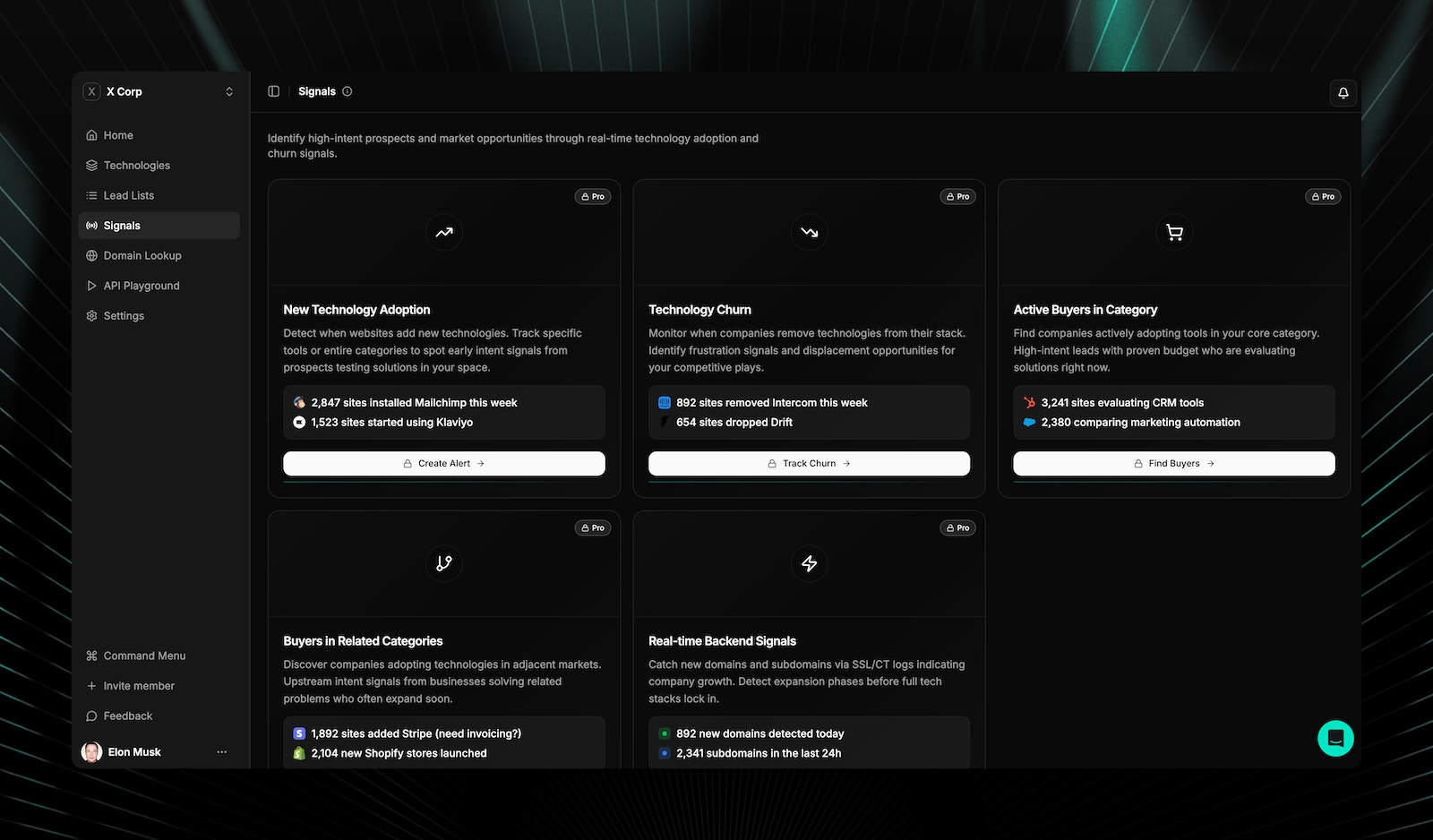
Signal types
TechnologyChecker tracks six types of signals:Subscriber signals (new adoption)
Subscriber signals (new adoption)
Detect when companies start using a technology, including backend tools and standalone platforms that browser-based tools miss.
- Real-time adoption detection across 50M+ domains
- Timestamp of first detection
- Signal confidence scoring
- Trend analysis: is this technology gaining or losing market share?
Churn signals (technology removal)
Churn signals (technology removal)
Detect when companies stop using a technology. Identify frustration signals and displacement opportunities before competitors notice.
- Real-time removal detection
- Estimated removal date
- Churn pattern analysis using historical data
- Early warning indicators before full removal
Replacement detection
Replacement detection
See what companies switched to after dropping a technology. Competitive displacement, in real time.
- Automatic detection of replacement technology
- Migration pattern matching against historical data
- Competitive positioning insights
Competitive displacement alerts
Competitive displacement alerts
Track when prospects adopt your competitors’ tools and intervene during the evaluation window.Example: “Alert me when target accounts adopt Marketo.” Engage before they fully commit.Use case: Competitive selling with technology context and verified contacts for decision-makers.
Customer churn signals
Customer churn signals
Monitor your existing customers for signs they’re evaluating competitors. Proactive retention outreach based on real signals.Example: “Alert me when my customers add BambooHR.” Catch at-risk accounts before renewal.Use case: Customer success teams can address migration concerns before renewal conversations.
Backend and standalone signals
Backend and standalone signals
Detect when companies adopt backend tools (n8n, databases) and standalone platforms (Airtable, Notion) that signal operational changes.Example: “Prospect adopted n8n + Airtable.” They’re building custom workflows. Strong buying signal.Use case: Identify companies building operations infrastructure who need your platform.
Signal confidence scoring
Every signal includes a confidence score so you can prioritize high-certainty detections:Alert delivery
Alert customization
What’s included in every alert
Every signal includes the context your team needs to act:- Technology change details: What was subscribed, dropped, or switched (with timestamps)
- Signal confidence score: How reliable the detection is
- Verified decision-maker contacts: Emails for the right person to reach
- Company firmographics: Size, industry, location, and LinkedIn data
- Historical context: How common is this change? What typically follows?
- Recommended action: Suggested outreach angle based on the signal type
Custom audience integration
Export signal-matched contacts directly into ad platforms for timely targeting:- Companies that just subscribed to a technology: reach them during onboarding
- Companies that just dropped a competitor: reach them during evaluation
- At-risk customers adopting competitor tools: targeted retention ads
Want to learn more about Signals? Contact support@TechnologyChecker.io for details.
Related pages
Domain lookup
Scan any website to see its full technology stack.
Lead lists
Build targeted prospect lists with technology and company filters.
Use cases
Churn prevention and buying window detection workflows.
Why TechnologyChecker
Real-time signals and how they compare to alternatives.