> ## Documentation Index
> Fetch the complete documentation index at: https://technologychecker.io/docs/llms.txt
> Use this file to discover all available pages before exploring further.
# Domain to Technologies Lookup
> Scan any website to detect its full technology stack — frontend, backend, and standalone platforms. Includes company firmographics and technology adoption timeline.
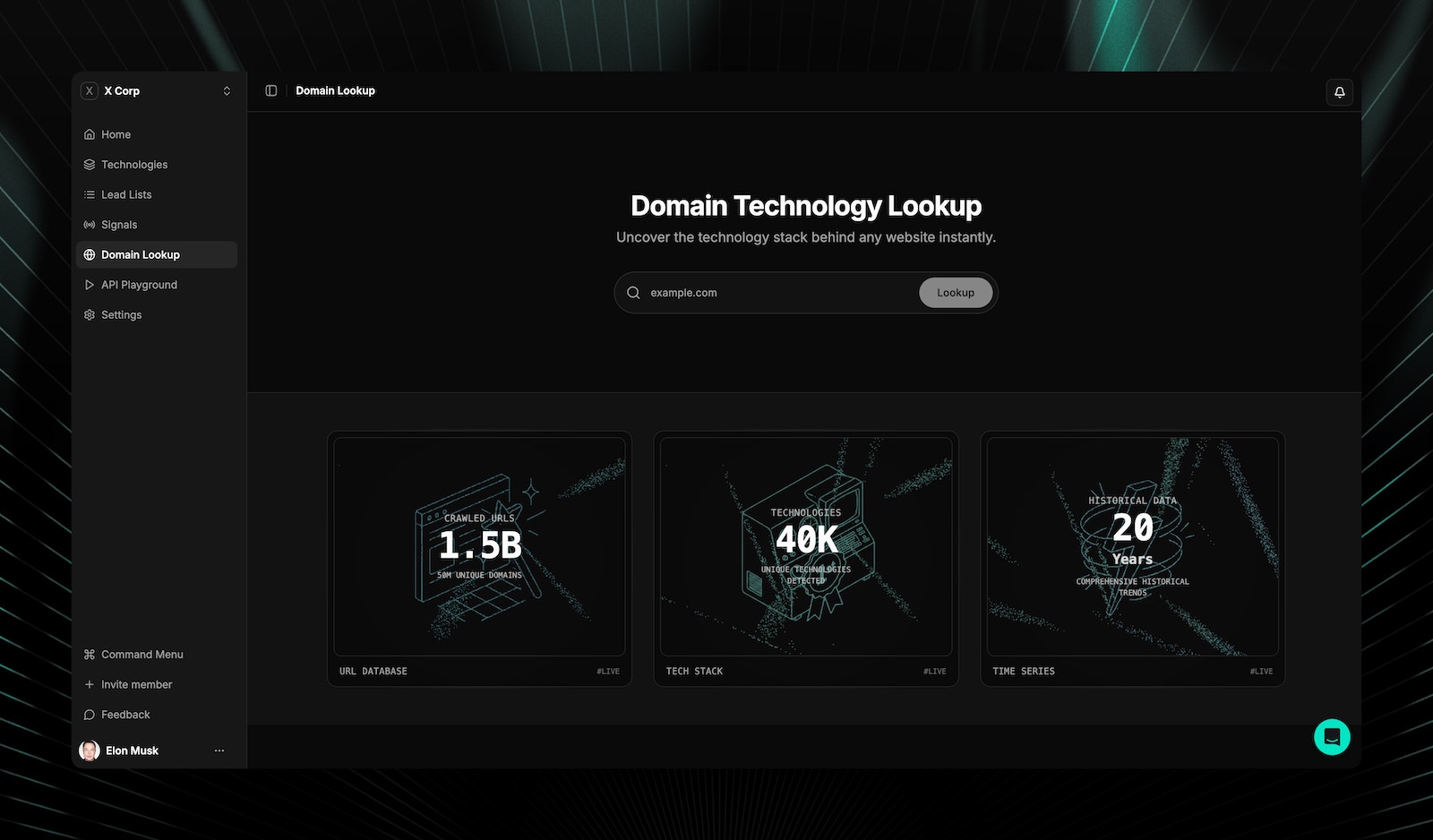
Enter any domain to see its full technology stack: frontend frameworks, backend infrastructure, and standalone platforms. TechnologyChecker normalizes your input automatically (strips protocols, `www` prefixes, and trailing paths), so you can paste any URL format.
You can also try a quick technology lookup from the [TechnologyChecker homepage](https://technologychecker.io) — no account or signup required.
 ## How domain lookup works
TechnologyChecker uses a two-stage approach for speed and coverage:
Checks the pre-crawled database of **50M+ websites**. If the domain exists, results appear instantly.
If no database results are found, a real-time scan runs using browser rendering and pattern matching.
Live detection results display a "Live Result" banner indicator. An animated loading state appears during scanning. See [detection modes](/api-reference/introduction#live-detection) for details on scan speed and accuracy.
## What data you get from a domain lookup
After a lookup, you get a complete domain profile with three sections:
Active technologies are grouped by category. Each technology shows:
* Technology name and logo
* Category classification
* First detected and last detected dates
* Link to the technology detail page
Firmographic data sourced from LinkedIn for the domain's parent company:
| Field | Description |
| ------------------ | ---------------------------- |
| Company name | Registered business name |
| LinkedIn URL | Company LinkedIn profile |
| Industry | LinkedIn industry category |
| Industry code | Standard industry code |
| Country | Country of headquarters |
| City | City location |
| State | State/province |
| Founded year | Year the company was founded |
| Employee count | Employee count range |
| Company type | Business type classification |
| Associated members | Count of associated people |
A Gantt chart visualization showing when each technology was first and last detected:
* **Active technologies** — Green bars with continuous timelines
* **Removed technologies** — Gray bars with ended timelines
* **Hover interaction** — See exact first-detected and last-detected dates
The technology timeline is useful for understanding a company's tech evolution. Recently removed technologies might indicate dissatisfaction and a buying opportunity.
## Related pages
Browse 40,000+ tracked technologies with market share data.
Build prospect lists from domain lookup results.
Look up technologies via API for any domain.
Real-time detection with multiple scan modes.
## Frequently asked questions
If no pre-crawled data exists, TechnologyChecker automatically runs a live detection scan using browser rendering. Live results display a "Live Result" banner. You can also trigger this manually via the [live detection API](/api-reference/introduction#live-detection) (5 credits vs 1 credit for database lookups).
TechnologyChecker normalizes your input automatically. You can enter `example.com`, `https://example.com`, `www.example.com`, or `https://www.example.com/path` — all resolve to the same domain lookup.
Database results reflect the most recent crawl cycle. Each technology record includes `first_seen` and `last_seen` timestamps so you can see exactly when detection occurred. For real-time results, use [live detection](/api-reference/introduction#live-detection).
Yes. The domain profile includes both active technologies and historical technologies that are no longer detected. Use the [technology history endpoint](/api-reference/introduction#domain-technologies) (`GET /v1/domain/{domain}/history`) for the full timeline with status changes.
## How domain lookup works
TechnologyChecker uses a two-stage approach for speed and coverage:
Checks the pre-crawled database of **50M+ websites**. If the domain exists, results appear instantly.
If no database results are found, a real-time scan runs using browser rendering and pattern matching.
Live detection results display a "Live Result" banner indicator. An animated loading state appears during scanning. See [detection modes](/api-reference/introduction#live-detection) for details on scan speed and accuracy.
## What data you get from a domain lookup
After a lookup, you get a complete domain profile with three sections:
Active technologies are grouped by category. Each technology shows:
* Technology name and logo
* Category classification
* First detected and last detected dates
* Link to the technology detail page
Firmographic data sourced from LinkedIn for the domain's parent company:
| Field | Description |
| ------------------ | ---------------------------- |
| Company name | Registered business name |
| LinkedIn URL | Company LinkedIn profile |
| Industry | LinkedIn industry category |
| Industry code | Standard industry code |
| Country | Country of headquarters |
| City | City location |
| State | State/province |
| Founded year | Year the company was founded |
| Employee count | Employee count range |
| Company type | Business type classification |
| Associated members | Count of associated people |
A Gantt chart visualization showing when each technology was first and last detected:
* **Active technologies** — Green bars with continuous timelines
* **Removed technologies** — Gray bars with ended timelines
* **Hover interaction** — See exact first-detected and last-detected dates
The technology timeline is useful for understanding a company's tech evolution. Recently removed technologies might indicate dissatisfaction and a buying opportunity.
## Related pages
Browse 40,000+ tracked technologies with market share data.
Build prospect lists from domain lookup results.
Look up technologies via API for any domain.
Real-time detection with multiple scan modes.
## Frequently asked questions
If no pre-crawled data exists, TechnologyChecker automatically runs a live detection scan using browser rendering. Live results display a "Live Result" banner. You can also trigger this manually via the [live detection API](/api-reference/introduction#live-detection) (5 credits vs 1 credit for database lookups).
TechnologyChecker normalizes your input automatically. You can enter `example.com`, `https://example.com`, `www.example.com`, or `https://www.example.com/path` — all resolve to the same domain lookup.
Database results reflect the most recent crawl cycle. Each technology record includes `first_seen` and `last_seen` timestamps so you can see exactly when detection occurred. For real-time results, use [live detection](/api-reference/introduction#live-detection).
Yes. The domain profile includes both active technologies and historical technologies that are no longer detected. Use the [technology history endpoint](/api-reference/introduction#domain-technologies) (`GET /v1/domain/{domain}/history`) for the full timeline with status changes.